 Get A Quote


 English
 中文简体
中文简体A 178 cm tall operations manager buys a two-stage electric desk advertised as "full sit-stand range." It adjusts from 71 cm to 118 cm. Seated, the desk is fine. Standing, it sits 6 cm below where her elbows fall, so she compensates by leaning forward, and after three months the standing sessions stop. The desk is not broken. The specification simply never matched her body.
That is the pattern behind most disappointing standing desk purchases. The failure is almost never the motor. It is a mismatch between three numbers — the user's seated elbow height, standing elbow height, and the desk's actual travel range — plus a frame that becomes unstable near the top of its stroke.
So here is the direct answer. The best electric height-adjustable desk for a given person is the one whose height range brackets both their seated and standing work surfaces with margin left over, whose frame stays rigid through the upper third of travel, whose motor configuration matches how often the desk moves, and whose desktop can carry the equipment actually being mounted on it. Features like app control, USB ports, and preset buttons are conveniences layered on top of those four requirements — they do not fix a desk that is 5 cm too short.
Match the Desk to Your Body Before You Compare Features
Most shopping pages lead with motor count, load rating, and price. That order is backwards. A 120 kg load rating means nothing if the desk stops at 118 cm and you need 112 cm of standing surface plus a 4 cm monitor riser. A 40 mm per second lift speed means nothing if the noise wakes a sleeping child in the next room.
Start with the two heights you actually need. Working seated, the correct surface height puts your elbows at roughly 90 degrees with forearms parallel to the floor and shoulders relaxed. Working standing, the correct height is close to your standing elbow height, with the keyboard at or slightly below elbow level so your wrists stay neutral rather than flexed upward.
As a rough calculation, seated work surface height lands near 0.38 to 0.39 times body height, and standing work surface height near 0.59 to 0.61 times body height. These are approximations, not rules. Leg-to-torso proportions, footwear, chair seat height, and whether you use a footrest all shift the target by several centimeters. Use them to screen desks, then fine-tune with the actual desk's adjustment range.
The practical consequence is that the useful specification is not "does it adjust" but "how much unused travel sits below your seated position and above your standing position." A desk with 15 cm of slack at each end absorbs thick carpet, a standing mat, thick-soled shoes, a keyboard tray, and a future change in chair. A desk with 1 cm of slack at the top is one carpet change away from being unusable.
Height Range: The Specification You Can Verify With a Tape Measure
Height range is determined by the leg column design, not the motor. Two-stage legs use two telescoping sections and typically deliver roughly 70 to 120 cm of travel. Three-stage legs add a third section, which usually lowers the minimum to about 60 to 64 cm and raises the maximum to about 125 to 130 cm. The lower minimum matters more than buyers expect: it is what lets a desk serve a shorter user seated, or a taller user who wants to work from a low stool.
The table below converts body height into approximate target surface heights. Use it to check whether a candidate desk's published range actually covers your needs with margin.
| User height | Target seated surface | Target standing surface | Minimum useful travel span |
|---|---|---|---|
| 155 cm (5 ft 1 in) | 58 to 62 cm | 92 to 97 cm | 39 cm |
| 165 cm (5 ft 5 in) | 62 to 66 cm | 98 to 102 cm | 40 cm |
| 175 cm (5 ft 9 in) | 66 to 70 cm | 104 to 108 cm | 42 cm |
| 185 cm (6 ft 1 in) | 70 to 74 cm | 110 to 114 cm | 44 cm |
| 195 cm (6 ft 5 in) | 73 to 77 cm | 115 to 120 cm | 47 cm |
Now look at the shared-desk case. One desk serving a 155 cm user and a 195 cm user must cover roughly 58 cm at its lowest seated setting and 120 cm at its highest standing setting — a 62 cm span. Very few two-stage frames reach both ends. This is exactly the scenario where three-stage legs, rather than a stronger motor, solve the problem.
One more number worth checking: the control box's accuracy tolerance. Lower-cost systems may drift 5 to 10 mm across a full travel cycle, which is invisible on a single preset but noticeable when two desks sit side by side in a bench configuration. If visual alignment matters, ask the supplier for the repeatability figure rather than the travel range alone.
Single Motor vs Dual Motor: Where the Money Actually Goes
A single-motor desk drives both legs through one motor and a connecting drive shaft, with a gearbox synchronizing the two columns. A dual-motor desk puts one motor in each leg and synchronizes them electronically through the control box. The second motor is not mainly about lifting more weight — it is about keeping two independent columns in step, which is what reduces racking and sway at standing height.
The practical differences are consistent across the category, as summarized below.
| Attribute | Single motor | Dual motor |
|---|---|---|
| Drive arrangement | One motor, one shaft, two synchronized columns | Two motors, one per column, electronically synchronized |
| Typical travel speed | 20 to 28 mm per second | 30 to 45 mm per second |
| Typical dynamic load | 60 to 80 kg | 100 to 140 kg |
| Full travel time | 20 to 30 seconds | 15 to 22 seconds |
| Operating noise | 48 to 55 dB | 45 to 50 dB |
| Behaviour at maximum height | More lateral sway; the shaft linkage adds a small amount of play | Tighter column tracking; less racking under uneven loads |
| Fault behaviour | A single drive fault stops both columns | A fault in one column is detected and halts movement |
| Typical best fit | Fixed users under about 180 cm, moderate adjustment frequency | Shared desks, taller users, frequent daily transitions, heavier setups |
The load numbers deserve context. A dual-monitor arm setup with two 27 inch displays, a laptop, a dock, and a desk lamp usually lands between 15 and 25 kg. Even a 60 kg rated frame is not the limiting factor — the limiting factor is the moment arm created when weight sits at the far edge of a deep desktop. A 20 kg load centered on a 180 cm wide top behaves very differently from the same 20 kg hanging off the front edge on a monitor arm.
Speed is more consequential than it sounds. At 25 mm per second, a 50 cm transition takes 20 seconds. That is long enough that people stop adjusting and leave the desk in one position. At 40 mm per second, the same move takes about 13 seconds, and the habit survives. If the goal is genuinely alternating between sitting and standing several times a day, speed and noise influence behavior more than any accessory feature.
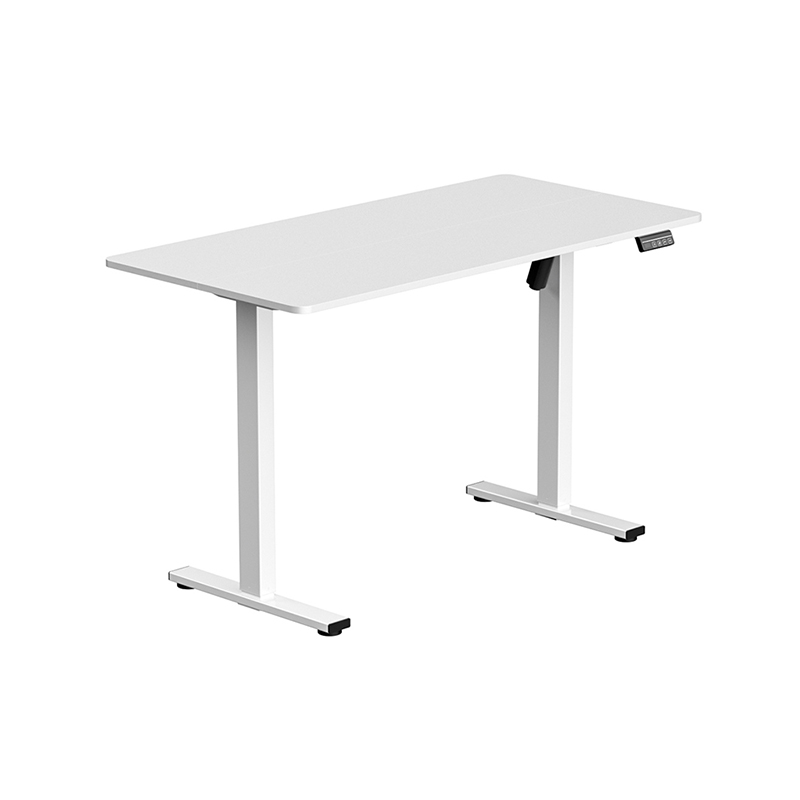 Single Motor Electric Lifting Table for Compact Sit-Stand SetupsA cost-effective compact sit-stand desk with memory presets and Nordic-style tops, relevant where the discussion weighs speed, noise, and wobble.View Product →
Stability and Wobble: Why Tall Users Notice Problems First
Wobble is the most underreported specification in the category and the one buyers complain about most after delivery. It scales with height, so a frame that feels rock solid at 72 cm can feel alarmingly loose at 125 cm.
Four factors govern it. The first is leg staging: three-stage columns have a smaller innermost section, so stiffness depends heavily on wall thickness and the fit tolerance between sections. The second is steel gauge and column profile — a rectangular column of the same nominal size will resist front-to-back flex differently from a square one. The third is the foot: a wider, heavier foot plate resists tipping, and leveling glides that are tightened properly remove the rocking that users often mistake for frame flex. The fourth is the connection between the frame and the desktop. Thin tabletops, or tabletops fixed with too few screws, allow the whole assembly to twist.
There are two distinct motions to test separately. Lateral sway is side-to-side movement when you push the desk edge. Front-to-back rock is movement along the depth axis, and it is usually the one that makes typing feel unstable. A desk can be acceptable on one axis and poor on the other.
A reasonable field test takes thirty seconds. Raise the desk to your standing height, place both hands on the front edge, and push and pull gently while watching the top of a monitor. Then push sideways. Then type normally with a monitor arm extended. If the monitor oscillates for more than a second after you stop typing, the frame is marginal for that height, regardless of what the load rating says.
Crossbars and side brackets help, but they cost money and add assembly steps. In a factory setting, stability is a design decision made at the frame level rather than something added afterwards.
Desktop Materials: Laminate, Bamboo, Solid Wood, and Tempered Glass
The desktop determines the feel of the desk, the load distribution, and how long the surface stays presentable. The differences are practical rather than aesthetic.
Laminate and engineered board
Particleboard or MDF cores with high-pressure laminate faces are the default for a reason: dimensional stability, low cost, and resistance to routine wear. Typical thickness runs 18 to 25 mm. The critical detail is the mounting structure underneath — a 25 mm laminate top with pre-installed threaded inserts handles a monitor arm far better than an 18 mm top where screws bite into the core material. Edge banding quality also matters; poorly bonded banding lifts within a year in dry indoor air.
Bamboo
Bamboo is dense, dimensionally stable, and takes a matte finish well. It is heavier than laminate of the same thickness, which slightly reduces frame wobble as a side effect. The tradeoff is cost and a smaller range of finishes, plus sensitivity to standing water around the edges when the finish is thin.
Solid wood
Solid wood tops are heavy — often 25 to 40 kg for a 160 cm by 80 cm slab — and behave differently across seasons. They look best and feel best, but they demand a frame rated for the weight and a control system with enough headroom in its duty cycle. If the desk shares a room with a radiator or sits under direct sun, expect seasonal movement at the joints.
Tempered glass
Tempered glass tops, usually 8 to 12 mm thick, offer scratch resistance, easy cleaning, and a visually light surface that suits gaming and studio setups. The engineering caveat is mounting. Grommet-mounted accessories and clamp-on monitor arms require hardware that spreads load across a wide footprint, because glass does not tolerate a point load or a sharp clamping edge. Buyers who plan to clamp anything should confirm with the manufacturer that the top and the frame were designed for it, rather than assuming a generic clamp is safe.
For gaming configurations specifically, a glass top paired with a dual-motor frame is a reasonable combination: the frame carries the weight and the frequent height changes, while the glass handles the surface wear that comes from peripherals sliding across the desk.
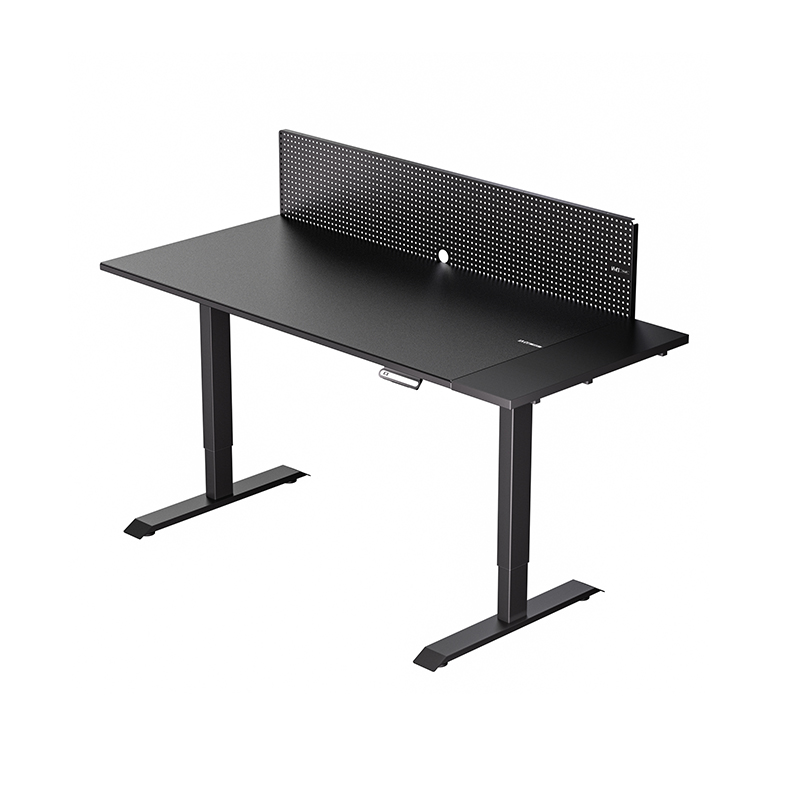 Gaming Glass Electric Lifting Table with Remote Height ControlA glass-top electric sit-stand desk for gaming and office work, fitting discussions about surface wear, height changes, and frictionless transitions.View Product →
Ergonomics in Daily Use: Sitting Ratios, Standing Ratios, and Transition Habits
Getting the height right is the first half of the problem. The second half is knowing how long to stay in each position and how often to move. The commonly cited guidance — alternate roughly every 30 to 60 minutes — works only if the transition is fast enough to be frictionless. That is why speed and noise reappear here as ergonomic variables rather than engineering trivia.
A practical daily pattern that holds up for most office workers looks like this:
- Start the morning seated for the first 45 to 60 minutes, when concentration on written work is highest.
- Stand for 30 to 45 minutes during calls, reviews, or any task that does not require deep continuous typing.
- Return to seated work for focused blocks, then stand again in the afternoon.
- Avoid standing for more than about two hours in a single stretch without sitting; static standing has its own fatigue profile.
- Use a standing mat or cushioned footwear if the floor is hard; the difference in comfort after 40 minutes is substantial.
Two adjustments are commonly skipped. First, the monitor: when you raise the desk, the monitor should rise with it, ideally on a height-adjustable arm mounted on the desk itself. A monitor left at seated height forces neck extension. Second, the keyboard and mouse: at standing height, most people need the keyboard slightly lower and closer than it sits when seated. A desk with a wide range lets you keep the surface at elbow height and adjust the input position instead of compromising both.
For shared desks — a home office used by two people, or a hot-desking bench in an office — memory presets are not a luxury. Four presets covering two users, seated and standing, removes the fiddling that makes shared standing desks unpopular. Check that presets store independently and that the control box does not reset after a power interruption.
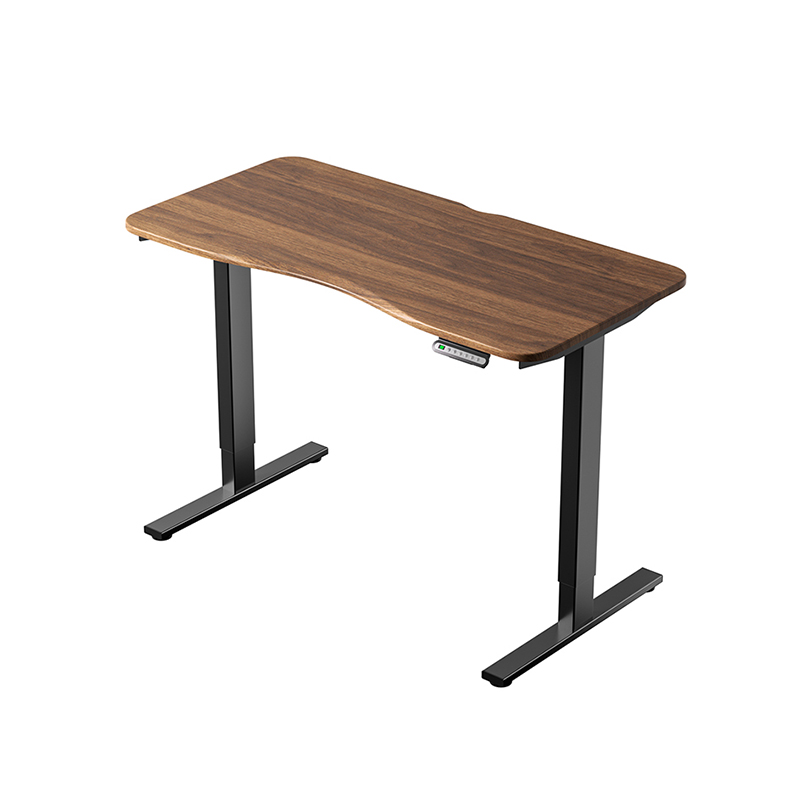 Double Motor Electric Lifting Table for Shared Office DesksDual-motor desk with modular beam fitment for 60-180 cm desktops and optional app control, relevant for shared setups and control-box reliability.View Product →
Power, Controls, and the Parts That Fail First
The control box, not the motor, is the most common service item on an electric desk. It contains the power supply, the relay logic, and the collision detection. When a desk stops responding, the fault is frequently a control box capacitor, a loose connector at the leg, or a damaged mains lead — all repairable if spare parts exist.
That leads to a buying criterion that is rarely printed in a listing: spare part availability. Ask three questions before ordering a large quantity or a single premium desk. Which components are considered serviceable? Can a replacement control box be supplied separately? What is the warranty split between frame, motor, and control electronics?
Typical warranty structures in the category look like this: five to ten years on the frame and column structure, two to five years on motors and control box, and one to three years on the desktop. The split is informative. A manufacturer offering ten years on a frame but eighteen months on the control box is telling you where they expect problems.
Also relevant: duty cycle. Most electric desk systems are rated around 10 percent, meaning roughly two minutes of continuous movement followed by around eighteen minutes of rest. That is generous for a single user adjusting four times a day. It becomes a genuine constraint in shared environments or showrooms where a desk moves repeatedly within a short window. Ignoring duty cycle is one of the most common causes of premature control box failure in commercial installations.
Finally, protection features. Anti-collision is standard on better control systems, but sensitivity settings vary — a desk that stops for a light obstruction is safe but annoying, while one that ignores a drawer is a hazard. Overcurrent protection and a low standby power draw are worth confirming for large deployments where dozens of desks sit plugged in overnight.
Three Buyer Profiles and What Each Should Prioritize
The word "best" resolves differently depending on who is buying and for what. The table below maps three common scenarios to configurations and to the risk that appears when the configuration is mismatched.
| Scenario | Recommended configuration | Typical risk when mismatched |
|---|---|---|
| Single home office user under 180 cm | Two-stage frame, single or dual motor, 25 mm laminate or bamboo top | Frame tops out near 118 cm and feels short on thick carpet; adjustment habit fades within months |
| Tall user or two people sharing one desk | Three-stage dual-motor frame, top at least 140 cm wide, memory presets | Unable to reach a comfortable standing height, or constant manual readjustment that discourages use |
| Gaming, streaming, or studio setup | Dual motor, glass or dense laminate top, cable grommets, wide footprint for arms and speakers | Monitor arm clamped to a top not designed for clamping; visible vibration during fast movement |
| Corporate rollout or furniture reseller | Standardized dual-motor platform, documented spare parts, consistent control box across batches | Mixed control boxes from different batches complicate service and void volume pricing assumptions |
Two entries deserve elaboration. In the tall-user and shared-desk case, the constraint is not weight but reach. A 195 cm user needs a standing surface around 115 to 120 cm, and many two-stage frames stop below that once the desktop thickness is added. In the corporate case, the invisible cost driver is consistency. If a rollout arrives with three different control box revisions, every future service call starts with an identification step, and spare parts inventory multiplies.
Price Tiers, Warranties, and Total Cost of Ownership
Electric desk pricing generally separates into three bands, and the differences between them are structural rather than cosmetic.
Entry-level frames use thinner steel, single motors, and simpler control electronics. They work well for light, occasional use and are priced accordingly. Mid-tier frames add dual motors, thicker column walls, better collision detection, and longer warranties. This band is where most long-term satisfaction lives. Upper-tier frames focus on stability at extreme heights, faster and quieter drive systems, and finish quality on both frame and top.
Total cost of ownership over five years is driven by three things: failure rate, spare part availability, and whether the desk is still comfortable enough to be used. A cheaper desk that makes its owner stop adjusting after two months has effectively failed at its purpose regardless of whether the electronics survived. That calculation rarely appears in a price comparison, but it is the one that matters.
For bulk buyers, three questions separate a genuine quotation from a price list. What is the process inspection standard per stage? What is the warranty split by component? How are spare control boxes supplied after the warranty period? A supplier who answers all three without hesitation is usually a manufacturer rather than a trading intermediary.
How to Evaluate the Manufacturer Behind the Desk
By the time a desk reaches a buyer, the decisions that determine whether it survives five years have already been made: steel gauge, weld quality, powder coat adhesion, control box selection, and inspection standards at each assembly stage. Those are factory decisions, and they are visible if you know what to ask.
A vertically integrated manufacturer controls more of those decisions in-house. Darzher, operating as Zhejiang Darzher Smart Home Co., Ltd. from a facility of more than 8,100 square meters in Shaoxing, Zhejiang, covers sheet metal processing, woodworking, powder coating, painting, and final assembly under one roof, supported by more than 100 production machines and a technical team of over 20 specialists. That matters because every outsourced step introduces a tolerance handoff — a frame welded by one supplier, coated by a second, and assembled by a third accumulates variance that shows up as wobble or a misaligned desktop.
The company also maintains its own quality inspection laboratory with per-process inspection standards, and states that each product is tested against industry standards before shipment. For buyers, the useful follow-up question is not whether inspection exists but what happens when a batch fails: is the desk reworked, or is the entire batch re-inspected? Manufacturers with in-house coating and assembly can usually answer that in concrete terms.
Custom development capability is the other differentiator for anyone specifying something non-standard. Darzher develops and produces from customer drawings or samples, which is relevant if you need a specific desktop dimension, a particular frame finish, or a control configuration matched to an existing furniture program. With more than 1,000 completed projects and exports split roughly across North America at 40 percent, Europe at 40 percent, and Southeast Asia at 20 percent, the production planning is already oriented toward export packaging and documentation requirements. Logistics are also straightforward: the factory sits about 1.5 hours from Ningbo Port and 2.5 hours from Shanghai Port.
For a buyer comparing quotations, the practical test is to request the frame drawing, the control box specification, and the warranty split, then compare them side by side. Suppliers who can only provide a product photo and a price are not the same category of supplier as those who can hand over drawings.
A Pre-Purchase Testing Checklist
Whether you are evaluating one desk at a showroom or a sample unit before a bulk order, the same sequence catches nearly every problem worth catching. Run it in this order.
- Set the desk to your calculated standing height and check that at least 4 to 5 cm of travel remains above it.
- Measure the actual surface height with a tape, not the display. Confirm the reading matches within a few millimeters.
- Push the front edge and the side edge separately at standing height, watching a monitor mounted on the desk.
- Time a full transition from seated to standing and back. Anything over 25 seconds will reduce how often you adjust.
- Listen for motor whine, control box buzz, or leg rattle at both the lowest and highest positions.
- Load the desk with its intended equipment, including anything clamped to the edge, then repeat the stability test.
- Cycle through each memory preset twice and confirm the positions repeat consistently.
- Test anti-collision by placing a firm object under the descending desktop at low speed, and confirm the desk stops rather than pushes through.
- Inspect the cable routing path and confirm the power lead has enough slack through the full travel range.
- Ask for the warranty split, the spare parts list, and the process inspection standard in writing.
Item nine is the one most commonly missed and most commonly resented later. A power lead that is routed tight will either pull out of the control box or fray at the strain relief within a year of regular use.
The honest conclusion is that the best electric height-adjustable desk is not a product name — it is a set of numbers that happens to fit one person or one team. If you are under 180 cm and adjusting a few times a day, a well-built two-stage single-motor desk with a solid 25 mm top will serve you for years and cost meaningfully less. If you are tall, if the desk is shared, if you move it often, or if you are specifying dozens of units for a rollout, three-stage dual-motor frames with documented spare parts are the configuration that prevents the two failure modes that actually matter: a desk that is too short to stand at comfortably, and a control box that cannot be replaced.
Screen candidates on height range first, stability at standing height second, and motor configuration third. Then check the desktop material against what you intend to mount on it. Everything after that — presets, ports, finishes — is preference. Getting the first three right is what makes the desk get used, and a standing desk that gets used is the only kind that delivers the health and comfort benefits it was bought for.


W2200D1535H23000000.png "Boardroom Pod")

 Add: Building18, No. 331, Haidong Road, Lihai Street, Yuecheng District, Shaoxing City, Zhejian, China
 Tel: +86-18057599511 / +86-0575-89291658
 Fax: +86-0575-89291658
 Email: