 Get A Quote


 English
 中文简体
中文简体Picture a purchasing manager for a 40-seat esports venue. She needs 400 black cloth pads, gets three quotes, and picks the cheapest one that promises delivery in two weeks. The pads arrive rolled into tight tubes. Within a month, the corners are curling, the rubber backs slide on the laminated tables during fast flicks, and the room smells faintly of solvent for the first ten days. Nothing is technically defective. She simply bought a mouse pad when her users needed a gaming mouse pad, and the gap between those two products is not marketing fiction. It shows up in friction numbers, edge construction, base compound, flatness after unrolling, and how consistently the surface behaves in the eighth hour of use.
So yes, there is a real difference between a mouse pad and a gaming mouse pad. But the difference is narrower and more specific than the packaging suggests, and it is not simply "gaming equals better." A well-made standard pad is the correct purchase for a hotel lobby, a school computer lab, a reception desk, or a warehouse terminal. A gaming pad is the correct purchase when the pad sits between a player and a result, and when small variations in glide or cursor behavior translate into missed shots. The two products overlap in shape and material. They diverge in how tightly those materials are specified, tested, and held consistent from unit to unit.
This article explains where the difference actually lives, which specs matter, when the cheaper product is the smarter buy, and what to write into a purchase order so that the pads you receive match the pads you approved.
The Short Answer: Yes, but Only Along Specific Lines
A standard mouse pad exists to do two things: protect the desk surface from scratches and scuffs, and give an optical sensor a surface that is not glossy. Its performance target is "the cursor moves when I move the mouse." A gaming mouse pad exists to make the relationship between hand movement and cursor movement as repeatable as possible over long sessions, under sweaty palms, across humidity swings, and through thousands of direction changes.
That reframing matters because it explains why gaming pads cost more without being made of exotic materials. Most of them are still woven cloth laminated to rubber. The extra cost goes into finer weave control, denser base rubber, stitched edges, thicker or more stable foam, flatter packaging, and batch testing. Those are process costs, not material costs.
It also explains why some gaming pads are genuinely worse for office work. Thick plush pads make a laptop mouse feel vague. Hard and glass pads are loud, cold to the touch, and unforgiving of cheap mouse feet. Extended desk mats swallow the whole workspace and make cleaning more work. Buying by category label without matching the pad to the user is how companies end up with complaints either way.
Six Engineering Variables That Separate the Two Products
1. Surface Weave and Friction Consistency
Standard pads are usually a coarse jersey knit or a simple printed polyester fabric. The weave is chosen for printability and cost, not for friction. Gaming pads use a tighter, more uniform weave with a defined texture depth. The goal is not "fast" or "slow" in isolation, but consistency: the static friction needed to start the mouse moving should be close to the kinetic friction that keeps it moving, and that relationship should not change much across the surface.
When this is done badly, players describe the pad as "sticky at the start, then slippery," which makes small aim corrections unpredictable. Suppliers who publish friction data usually quote a coefficient of friction range, often something like 0.10 to 0.15 for speed-oriented surfaces and higher for control-oriented ones. The exact number matters less than the tolerance around it and whether it holds between production batches.
2. Thickness, Foam Density, and Compression
Office pads frequently run 2 mm to 3 mm with a low-density foam backing. Gaming pads commonly run 3 mm to 5 mm, with some plush models at 6 mm, and the foam is denser so it does not take a permanent set. Compression matters more than thickness. A cheap pad develops a shallow dip where the mouse usually sits, and after a few months the cursor behaves differently depending on which part of the pad you are using.
There is a counterintuitive consequence for modern gaming mice. Many have a low lift-off distance, sometimes adjustable between 1 mm and 2 mm. On a soft 5 mm pad, a heavy-handed player can compress the foam enough to change the effective distance between sensor and surface. That is one reason some competitive players deliberately choose thinner, harder surfaces.
3. Base Grip and Dimensional Stability
The underside decides whether the pad stays where you put it. Standard pads often use a thin, smooth rubber or foam layer that grips a clean wooden desk but slides on laminate, glass, or a freshly waxed surface. Gaming pads typically use a textured natural rubber base with a pattern of dots, hexagons, or ridges that creates suction and friction on hard, smooth surfaces.
Dimensional stability matters as much as grip. A pad that stretches slightly when unrolled will not lie flat, and a pad that lies flat today may warp after two weeks in an air-conditioned room. A simple shop-floor check is to place the sample on a smooth table, press one corner, and see whether the opposite corner lifts.
4. Edge Construction
Cut edges fray. On a standard pad, fraying is cosmetic. On a gaming pad used eight hours a day, fraying becomes functional: loose threads catch the mouse cable, collect dust, and change the feel of the pad near the boundary. Stitched or heat-sealed edges are the usual answer, and they add cost because they require an extra production step and a second quality check. Stitch density and thread tension matter; a loose stitch line can be worse than a clean cut because it creates a raised lip that a low-profile mouse can catch.
5. Flatness and Packaging Format
Small pads ship flat in a box. Large ones ship rolled. Rolling stores elastic energy in the rubber, so the pad arrives with memory curl. Gaming brands that care about this use wider roll diameters, insert a rigid tube, or ship flat with foam corner protection. Flat shipping costs more in freight because dimensional weight, not actual weight, often drives the rate. That trade-off is frequently the reason a cheap large pad curls and an expensive one does not.
6. Material Chemistry, Odor, and Compliance
A pad is a chemical product as much as a textile one: rubber base, adhesive, dye, and printing ink. Cheap formulations produce a persistent solvent or sulfur smell, and that smell is a proxy for volatile organic compounds you may not want in a closed room. For retail in Europe or North America, buyers increasingly ask about restricted substances and dyestuff limits, and they want documentation rather than assurances. Compliance work is invisible in a product photo and very visible in a customs hold or a return.
Standard Mouse Pad vs Gaming Mouse Pad: A Spec-by-Spec Comparison
The table below compares three common products rather than two, because the tempered-glass gaming pad behaves so differently from cloth that lumping them together hides the real decision. Use it as a checklist to align expectations before sampling.
| Specification | Standard Mouse Pad | Cloth Gaming Mouse Pad | Tempered-Glass Gaming Pad |
|---|---|---|---|
| Typical footprint | 200 x 180 mm to 260 x 210 mm | 320 x 270 mm up to 900 x 400 mm extended | 300 x 250 mm to 500 x 400 mm |
| Surface material | Coarse knit polyester or PVC film | Fine-woven polyester or hybrid fabric | Chemically etched tempered glass |
| Surface goal | Protect the desk, allow basic tracking | Repeatable glide, controlled stop | Zero wear, constant glide, easy cleaning |
| Typical thickness | 2 mm to 3 mm | 3 mm to 6 mm | 3 mm to 5 mm glass plus rubber feet |
| Base | Thin smooth foam or rubber | Textured natural rubber, often 1 mm to 2 mm | Silicone or rubber pads at the corners |
| Edge finish | Cut, sometimes heat-sealed | Stitched anti-fray, occasionally heat-sealed | Polished or chamfered glass edge |
| Moisture behavior | Softens and slows when damp | Slows with sweat; some have water-resistant coating | Unaffected by humidity and sweat |
| Mouse feet wear | Low | Low to moderate | Higher; PTFE feet recommended |
| Typical service life | 6 to 18 months in daily office use | 6 to 24 months depending on intensity | Several years if not dropped |
| Print customization | Screen print, one to three colors | Full-color dye sublimation, edge to edge | Limited; usually logo etching or underside print |
| Shipping profile | Flat or lightly rolled, low weight | Rolled or flat; large sizes are bulky | Heavy, fragile, needs foam corner protection |
| Best suited to | Offices, schools, kiosks, hotel desks | Competitive play, long sessions, humid climates | Heavy daily use, players who dislike cloth wear |
Two rows deserve emphasis. First, moisture behavior: in a room at 70 percent relative humidity, a cheap cloth pad can feel noticeably slower than the sample you approved in a dry showroom. Second, service life: a pad does not fail dramatically. It degrades until the user stops trusting it, and by then the purchase decision has already been made again.
Cloth, Hard, and Tempered Glass: Three Gaming Surfaces, Three Trade-offs
Cloth: The Default for Good Reason
Cloth dominates because it is quiet, comfortable against the wrist, cheap enough to replace, and compatible with essentially every optical sensor on the market. The texture gives the sensor something to see, and the weave can be tuned toward speed or control. Its weaknesses are moisture absorption, gradual compaction under a resting hand, and dust retention. Washing extends life but can strip a water-resistant coating, so a pad that was specified as humidity-resistant may lose that property after three washes.
Hard Pads: Consistent but Loud
Rigid plastic and aluminum pads offer a very consistent glide and are easy to wipe clean. They also wear mouse feet faster, transmit more noise, and can feel harsh during long sessions. They suit players who want a very low-friction surface and accept the maintenance overhead of replacing feet. For shared or public environments, hard pads tend to be a poor choice because they scratch visibly.
Micro-Etched Tempered Glass: A Different Kind of Durability
Glass pads are made by chemically etching the surface to create a controlled micron-level texture rather than a woven one. The result is a surface with no weave direction, no moisture absorption, and essentially no wear: the friction you measure on day one is the friction you measure in year three. Cleaning takes a microfiber cloth and water. The trade-offs are real, though. A glass pad is heavy, so freight and packaging costs rise; it needs foam corner protection in transit; it feels cold at first; and it wears mouse feet faster than cloth, which means budgeting for replacement feet. Certain sensors also track poorly on glass, so test with the exact mice your users own before committing to a large order.
For buyers evaluating this category, the relevant question is not whether glass is "better" but whether the group using it is stable and long-term. A glass pad makes sense for a permanent training station, a streamer desk, or a workstation that never moves. It makes less sense for a tournament kit that travels weekly.
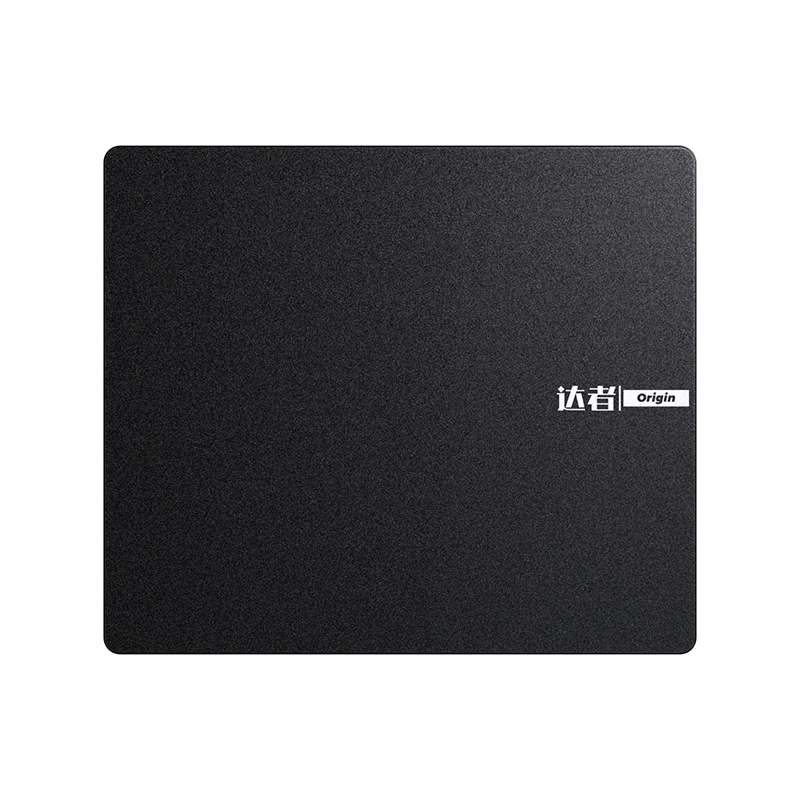 Pro Gaming Edition Tempered Glass Mouse PadA tempered glass mouse pad for permanent training or streamer desks, with a rigid base, micro-etched surface, and customization options.View Product →
Does a Gaming Mouse Pad Actually Improve Aim?
Honestly: the pad does not create skill, and no surface compensates for poor crosshair placement. What a gaming pad can do is remove three sources of unwanted variation.
The first is inconsistent glide. If the force required to start a movement differs from the force required to sustain it, small corrections become either jumpy or sluggish, and muscle memory cannot form because the surface keeps changing the rules.
The second is insufficient travel area. This is the most underrated factor and it is pure geometry rather than marketing. Suppose a player uses 800 DPI with a sensitivity that requires about 40 cm of mouse travel for a full 360-degree turn. A 180-degree flick then needs roughly 20 cm of horizontal movement. A standard 250 mm pad leaves perhaps 16 cm of usable travel once you subtract the mouse body and the comfort margin. The player physically cannot complete the turn without lifting and re-centering, and each lift introduces a timing penalty and a chance of a tracking glitch. At 1600 DPI with the same 40 cm per 360 turn, the required distance halves and the small pad becomes workable. Size requirements follow from sensitivity, not from the word "gaming" on the box.
The third is surface drift over time. A pad that becomes slower as the hand sweats, or that develops a compressed dip in the most-used zone, changes effective sensitivity mid-session. Gaming pads address this with denser foam, tighter weave, and sometimes a water-resistant finish. If you want a deeper walkthrough of the surface-level reasoning, the site's overview of what separates competitive pads from ordinary desk pads covers the same ground from a product-history angle.
When a Standard Mouse Pad Is the Right Purchase
There are plenty of situations where paying for gaming-grade tolerances is waste. Consider what the pad is actually being asked to do.
- Shared office desks where users browse, type, and use cloud applications rather than playing at low sensitivity.
- School and training labs, where pads are lost, damaged, and replaced on a rolling schedule and where per-unit cost dominates.
- Hotel and co-working desks, where the pad is partly a desk protector and partly a courtesy item.
- Retail counters, kiosks, warehouses, and clinic reception desks, where the mouse never travels more than a few centimeters per movement.
- Promotional giveaways, where print quality and unit cost matter far more than friction tolerance.
- Home setups where the mouse stays above 1600 DPI, the session length is short, and the desk surface is already clean and flat.
In these cases, a 2 mm to 3 mm pad with a decent rubber base, clean die-cut edges, and a compliant ink system is the professional choice. Spending four times more buys durability and glide characteristics the user will never notice, and it may introduce new complaints about weight, stiffness, or cold glass under the wrist.
When a Gaming Mouse Pad Earns Its Price
The justification is strongest when at least three of the following are true.
- Play happens at low sensitivity, so the mouse needs 15 cm or more of travel per large turn.
- Sessions run beyond two hours, so sweat, heat, and fatigue affect the surface.
- The room is humid, air-conditioned aggressively, or both, which stresses cloth and rubber differently.
- The pad is used by multiple people or in a supervised setting, where per-unit consistency reduces troubleshooting time.
- The desk surfaces are laminate or glass, where a smooth foam backing will not hold.
- The pad is expected to survive more than a year of heavy use without visible fraying or a compressed zone.
- The pad carries branding, and print durability after washing and abrasion is a visible quality signal.
Notice that none of these conditions mention winning. They describe durability and repeatability, which is exactly where the engineering spend goes. A gaming pad is best understood as a long-life, tight-tolerance desk mat with a friction specification, not as a performance accessory that adds ability.
Total Cost of Ownership: What Fails First
Cheap pads rarely fail outright. They fail in stages, and each stage costs the buyer something different.
Month one. Memory curl from rolled packaging. Users either live with a rocking pad or weigh it down with books for a week. Flat-packed pads avoid this entirely.
Months two to four. The backing loses grip as dust collects underneath, especially on laminate. Pads slide mid-movement, which reads to the user as a mouse problem, so support time gets spent on the wrong component.
Months three to nine. Print and coating wear along the most-used band of the surface. On promotional pads with heavy ink coverage, the printed area often feels different from the unprinted border, which is a giveaway that the ink film was never specified for friction.
Months six to eighteen. Compaction and fraying. The compressed zone becomes the only comfortable place to rest the mouse, and cleaning accelerates it because washing loosens the laminated edge.
A simple calculation makes the case for specification rather than price. If a low-cost pad is replaced twice as often as a specified pad, and each replacement carries handling, disposal, and administration cost, the sticker price difference often disappears. The same logic applies to glass: a heavy, well-packed glass pad may cost several times more up front, but it does not absorb moisture, does not compact, and does not need replacing for years.
Individual Buying Checklist
If you are buying one pad for yourself, the decision takes five minutes and four measurements.
- Measure your desk and subtract 50 mm on each side you want clear. That gives your maximum footprint.
- Work out your travel requirement: the horizontal distance your mouse moves for a 180-degree turn at your current sensitivity. Add 30 mm of margin.
- Decide surface character: faster surfaces suit tracking-heavy play and high sensitivity; slower, more textured cloth suits flick-heavy play at low sensitivity.
- Check thickness against your grip. A palm grip with a heavy hand usually feels better on 4 mm; a claw or fingertip grip often feels better on 2 mm to 3 mm.
- Confirm compatibility if you are considering glass. Test with your own mouse before buying, because sensor behavior on etched glass varies.
- Buy flat-packed if the pad is larger than roughly 800 x 300 mm and you care about it lying dead flat on day one.
A reasonable conclusion for most home users: an extended cloth desk mat in the 900 x 400 mm range, 3 mm to 4 mm thick, with stitched edges and a textured rubber base. It covers keyboard and mouse, protects the desk, and costs far less than buying premium peripherals you do not need.
Bulk and OEM Checklist: What Procurement Teams Should Specify
Buying 5,000 pads is a different exercise from buying one. The failure modes shift from "does it feel nice" to "does batch three match the approved sample," and the specification has to be written down.
Put numbers on the drawing
- Length, width, and thickness with a tolerance. Thickness measured at nine points with a tolerance of roughly plus or minus 0.3 mm is a practical starting point.
- Base material and base pattern, plus a minimum grip requirement verified on the surfaces your users actually have.
- Edge type: cut, heat-sealed, or stitched, with stitch density and thread specification if stitched.
- Surface construction: fabric type, weave tightness, and whether a water-resistant finish is required.
- Print method: dye sublimation for full-color coverage, screen printing for one to three colors. Note that sublimation changes the surface feel less than a thick screen-printed ink layer does.
- Colorfastness expectations against abrasion, sweat, and washing if the pad will be cleaned.
- Restricted substances documentation for the destination market, including dyestuff limits and rubber additives.
- Packaging: flat box, rolled tube diameter, corner protection, polybag, and retail-ready carton printing.
Test the batch, not just the sample
Ask for a friction check on at least three units per batch, a flatness recovery check after 24 hours out of the package, an odor assessment on freshly opened units, and a compression test in the mouse zone. If your supplier has an in-house inspection room with per-process standards, that is a strong signal for repeatability across orders, because it means the checks are part of production rather than a favor performed for a big client.
Freight deserves its own line in the analysis. Mouse pads are light for their volume, so dimensional weight often determines the shipping cost, and rolled versus flat packaging changes both. Large pads also arrive damaged at the corners when the carton has too much empty space, so specify the pack-out rather than assuming it.
For teams that need several surface options rather than one, it helps to review a full range before locking the spec, including category structure and sizes. A practical route is to look at the complete gaming mouse pad range as a starting framework, then narrow down to the two or three constructions that fit your users.
OEM Gaming Mouse Pad Category for Custom SurfacesCompare OEM gaming mouse pad options, including tempered-glass FPS surfaces and customization for sizes, sensors, styling, and batch delivery.View Product →The Desk and Room Around the Pad
A pad never operates alone, and two adjacent decisions change how well it performs.
The first is the desk surface itself. On a height-adjustable desk, the pad has to survive movement and the slight vibration that comes with every adjustment. A smooth foam backing on a glass or laminate top will creep within weeks. A textured rubber base, or a desk with a matte finish, holds far better. Height also changes the wrist angle, and users who switch between sitting and standing often unconsciously change grip pressure, which in turn changes how much they compress a soft pad. That is one reason a thinner, firmer pad pairs well with a sit-stand setup: less compression means less change in sensor behavior when the user changes posture.
The second is the room's acoustic and humidity profile. In a shared or streamed environment, sound matters, and hard surfaces reflect it. Rooms that run air conditioning all day stay dry, which helps cloth pads; rooms in humid coastal climates do the opposite. If the same space is used for streaming or voice calls, the room treatment and the pad material should be chosen in the same planning pass rather than as separate purchases.
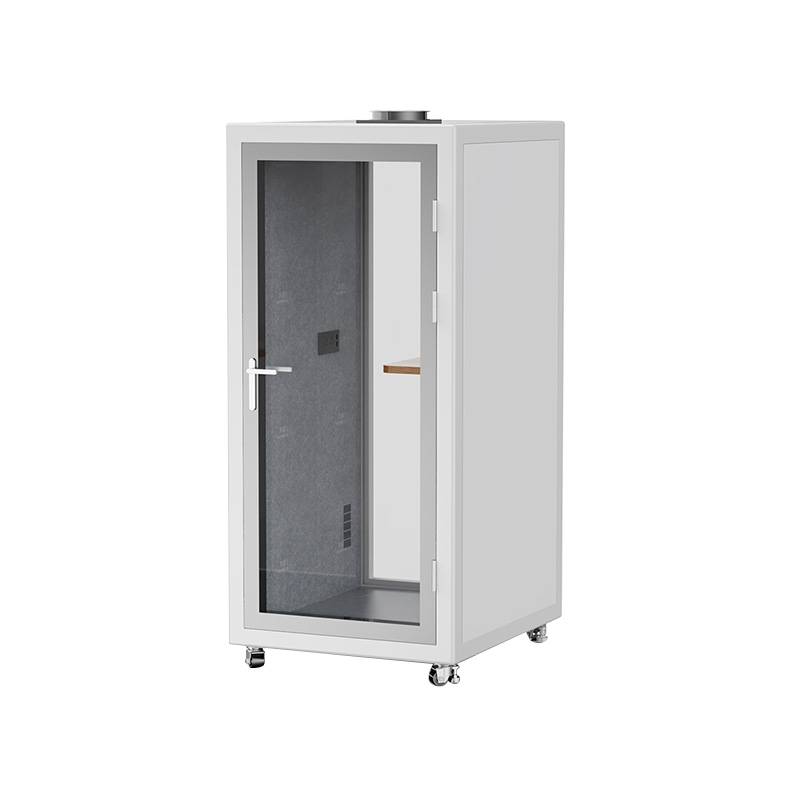
Manufacturers with in-house metal, wood, coating, and assembly capability can usually coordinate these items so that surfaces, tolerances, and finishes are consistent across a single order rather than sourced from unrelated suppliers. That is relevant for anyone building a standardized gaming or training room: pads, gaming glass electric lifting tables and acoustic booths are easier to specify together, with one set of documentation and one inspection standard, and one point of contact when something needs adjusting before the next batch.
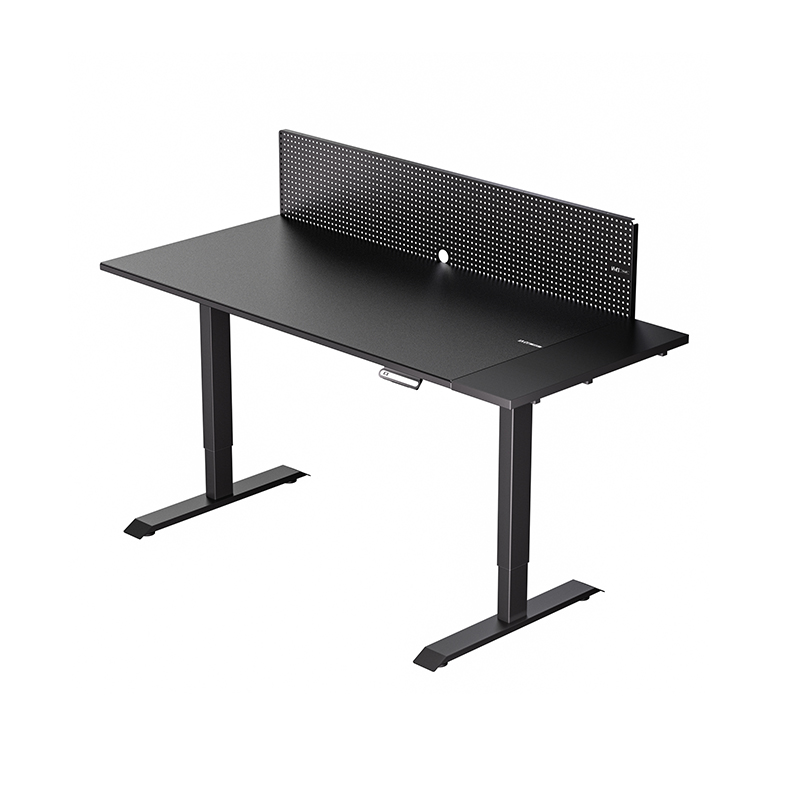 Gaming Glass Electric Lifting Table for Sit-Stand SetupsAn electric height-adjustable glass desk for gaming or home office, with etched anti-reflective surface, remote control, and sit-stand flexibility.View Product →
Misconceptions That Cost Money
"A gaming pad is just a bigger pad." Size is often the most visible difference, but it is also the easiest to copy. The parts that cost money are the base compound, the edge finish, the foam density, and batch consistency, none of which are visible in a product photo.
"Thicker is always more comfortable, so thicker is better." Thick plush pads feel good for browsing and feel vague for precise work. They also compress under a resting hand, which can interact badly with a mouse that has a very low lift-off distance.
"Hard pads destroy mouse feet." Partly true, but the effect depends on the feet. Standard PTFE feet wear faster on hard and glass surfaces, and the fix is to budget for replacement feet rather than to reject the surface. Cloth is gentler on feet but holds dust that abrades them anyway.
"Stitching is cosmetic." Stitching is functional. It prevents the fraying that eventually lifts the surface layer and changes glide near the pad boundary. It also adds a small raised lip, which some low-profile mice dislike, so it is a specification choice rather than an automatic upgrade.
"Any cloth pad works in a humid room." Cloth absorbs moisture and slows down. If the room runs above roughly 65 percent relative humidity for long periods, specify a denser weave and a water-resistant finish, or move to a hard or glass surface and accept the other trade-offs.
"The pad is not a compliance item." It is a textile and rubber assembly with inks and adhesives. Destination-market restrictions apply, and a missing document can hold an entire container.
How to Decide in Five Minutes
- Measure your usable desk area and your mouse travel distance at your current sensitivity. If a 180-degree turn needs more than about 18 cm, buy an extended cloth mat.
- Check what is under the pad. Laminate, glass, and polished wood require a textured rubber base; otherwise choose anything with a decent backing.
- Decide how long the pad must last. Under a year of light use, standard pads are fine. Multi-year daily use points to a specified cloth pad or tempered glass.
- Check the humidity and the sweat profile of the room, and pick the surface accordingly.
- If it is glass, test with your exact mouse and budget for replacement feet.
- If it is a bulk order, write thickness tolerance, base pattern, edge type, print method, and packaging format into the specification, and ask for friction and flatness data per batch.
The honest summary is that the label on the box is a weak signal and the specification is a strong one. Two pads can be the same size, the same color, and the same thickness, and still behave completely differently after three months of daily play, because one was built to protect a desk and the other was built to keep the same input producing the same output.
If you are buying for yourself, match the pad to your sensitivity, your grip, and your room, and stop there. If you are buying for a team, a venue, or a retail program, treat the pad as a specified component with tolerances, documentation, and a packaging plan, exactly as you would treat any other part of the furniture in the room. The difference between a mouse pad and a gaming mouse pad is not a slogan. It is a set of decisions made at the factory, and it is measurable the moment a user tries to make a flick on a damp morning with a pad that has spent two weeks in a box.


W2200D1535H23000000.png "Boardroom Pod")

 Add: Building18, No. 331, Haidong Road, Lihai Street, Yuecheng District, Shaoxing City, Zhejian, China
 Tel: +86-18057599511 / +86-0575-89291658
 Fax: +86-0575-89291658
 Email: