 Get A Quote


 English
 中文简体
中文简体Selecting the optimal workstation requires a clear understanding of mechanical engineering, frame stability, motor efficiency, and ergonomic design. As modern work environments continue to prioritize physical well-being, electric height adjustable standing desks have transitioned from specialized office additions to fundamental components of active workspaces. Determining which model represents the best fit involves evaluating how specific structural designs align with individual operational requirements, space constraints, and long term durability expectations.
Core Criteria for Evaluating Electric Height Adjustable Standing Desks
Assessing the performance of motorized furniture involves looking beyond surface aesthetics. The true quality of a workstation resides within its internal components, steel frame thickness, and motor synchronization algorithms. Evaluating these core elements allows users to select a workstation that delivers long term utility without operational compromise.
Frame Stability and Structural Integrity at Maximum Elevation
Frame stability is the primary indicator of structural engineering quality in electric height adjustable standing desks. When a desk elevates to its maximum height, the leverage exerted on the leg columns increases dramatically. Inferior frames exhibit noticeable lateral sway and front to back wobble during typing or monitor adjustment at elevated positions.
High quality frames utilize heavy gauge steel for the telescoping leg columns. The thickness of the steel tubing directly influences the resistance of the desk to structural deflection under load. Additionally, the fit tolerances between the sliding leg segments determine how effectively the frame resists movement. Precision engineered plastic glides positioned between the telescoping column segments ensure smooth transition while eliminating excess play between the steel tubes. Frames featuring wider foot bases and robust top support channels distribute forces more evenly, preserving stability regardless of desktop height.
Motor Configuration, Lifting Capacity, and Transit Speed
The drive mechanism powers the elevation process and dictates how effectively the workstation manages heavy loads. Electric height adjustable standing desks typically rely on motorized spindle drives housed inside or alongside the telescoping leg columns. The total lifting capacity determines the weight of computer hardware, monitor mounts, and accessories the frame can support safely.
Transit speed, measured in inches or millimeters per second, reflects the efficiency of the motor and gear setup. High quality systems maintain a uniform transit speed even when loaded near maximum capacity. Motor performance depends heavily on the internal gearing and copper winding quality. Premium motors provide consistent torque across the entire adjustment range, ensuring smooth acceleration and deceleration curves that prevent objects on the desktop from tipping over during movement.
Noise Level, Motion Smoothness, and Anti-Collision Technology
Operational acoustics play a major role in workplace integration, particularly in shared office environments or quiet home offices. High performing electric height adjustable standing desks operate at low sound thresholds, generally beneath fifty decibels. Noise levels depend on gear precision, casing insulation, and motor vibration dampening within the frame legs.
Motion smoothness directly impacts user safety and liquid containment. Smooth starts and stops depend on electronic motor controllers that manage power delivery incrementally. Integrated anti-collision technology represents another essential safety feature. Modern control units utilize gyro sensors or current sensing algorithms to detect sudden resistance or structural obstruction during movement. When an object is encountered under or above the desktop, the controller halts motor operation immediately and reverses direction to prevent structural damage or physical injury.
Key Components That Define Superior Sit Stand Desks
Understanding the specific hardware options available helps users differentiate between budget entry units and commercial grade workstations. Each component choice directly influences lifting performance, surface endurance, and user interaction.
Single Motor Versus Dual Motor Drive Systems
The choice between a single motor and a dual motor drive system represents one of the most significant design variations in electric height adjustable standing desks. Single motor systems utilize a single electric motor connected to a hex drive shaft that spans the width of the frame to transfer rotational energy to the opposite leg column.
While single motor configurations lower production costs and reduce overall weight, they inherently limit lifting capacity and transit speed. The mechanical crossbar transmission introduces additional friction and potential points of wear over time. Dual motor systems place an independent motorized spindle drive inside each leg column. A central electronic control box synchronizes the rotation speed of both motors simultaneously using sensor feedback. Dual motor configurations deliver higher load capacities, faster vertical speeds, quieter operation, and enhanced reliability under unbalanced desktop loads.
Desktop Materials, Surface Durability, and Maintenance
The desktop surface receives direct daily physical interaction and must withstand abrasion, liquid exposure, heavy localized weight, and ambient humidity. Common desktop materials range from engineered wood substrates with high pressure laminates to solid natural hardwoods, bamboo composites, and powdered coated medium density fiberboard.
High pressure laminates offer exceptional resistance to scratching, impact damage, and staining, making them suitable for intense daily commercial use. Solid hardwood surfaces deliver superior aesthetic character and structural rigidity, though they require periodic sealing and careful ambient humidity management to prevent warping. Powder coated fiberboard provides a seamless visual surface with rounded edges, eliminating sharp corners along the front edge where arms rest. Selecting a durable surface material preserves both the visual appearance and structural support of monitor arms attached to the rear edge.
Control Panels, Height Memory Presets, and Digital Displays
The interface controller serves as the primary point of contact between the user and the motorized frame. Basic controllers feature simple up and down toggle switches, whereas advanced control units offer digital height displays, programmable memory presets, sit stand reminders, and physical lockouts.
Memory presets allow users to save precise height settings for sitting and standing positions. With a single button press, the controller automatically adjusts the desk to the saved elevation, eliminating manual micro adjustments. Digital readouts display real time height metrics in inches or centimeters, ensuring precise alignment with ergonomic standards. Advanced controllers also include soft start and stop programming, safety lock mechanisms to prevent accidental activation by children or pets, and integrated charging ports for mobile devices.
Evaluating Standing Desk Stability Across Height Ranges
Stability is not uniform across the entire operational range of an adjustable workstation. Understanding how column orientation and base geometry affect physical movement allows buyers to match frame specifications to their height requirements.
Telescope Column Design and Crossbar Architecture
Telescoping leg columns consist of multiple nested steel sections that expand or contract during adjustment. Columns are constructed in two stage or three stage configurations. Two stage columns feature two overlapping segments, offering a narrower overall height range suitable for users of average stature. Three stage columns feature three overlapping segments, delivering a wider adjustment range that accommodates both shorter sitting heights and taller standing positions.
Column orientation also plays an important role in structural rigidity. Traditional columns place the thickest steel segment at the base of the desk, while inverted column designs position the widest segment at the top beneath the desktop. Both designs can deliver solid performance when engineered with appropriate glide bushings. Furthermore, frames incorporating a physical crossbar connecting the two legs midway up the frame provide substantial side to side rigidity, though crossbars can limit leg clearance under the desk for some users.
Floor Leveling, Base Foot Geometry, and Weight Distribution
The contact point between the desk base and the flooring dictates how ground instability transfers to the upper desktop surface. Base feet are manufactured in either centered T-frame geometry or offset C-frame geometry. C-frame designs offset the leg column toward the rear of the foot, maximizing under desk legroom and clearing space for mobile pedestals or CPU holders. T-frame designs position the leg column directly in the center of the base foot, balancing front to back weight distribution equally.
Adjustable leveling glides mounted beneath the base feet allow users to stabilize the desk on uneven surfaces. Proper leveling prevents the frame from rocking, which would otherwise amplify micro movements at full elevation. Ensuring that weight is evenly distributed across the desktop prevents uneven friction on the internal leg glides, promoting balanced motor wear over time.
|
Workstation Configuration |
Typical Weight Capacity |
Adjustment Speed Range |
Target Application and Suitability |
|---|---|---|---|
|
Single Motor Two Stage Frame |
150 to 180 Pounds |
0.8 to 1.0 Inches Per Second |
Light home office setups with single monitor arrangements |
|
Dual Motor Three Stage Frame |
275 to 350 Pounds |
1.2 to 1.6 Inches Per Second |
Standard multi-monitor professional workstations requiring high stability |
|
Commercial Heavy Duty Frame |
350 to 500 Pounds |
1.5 to 1.8 Inches Per Second |
Heavy multi-display setups, heavy solid wood tops, and lab environments |
|
Compact Single Column Frame |
100 to 130 Pounds |
1.0 to 1.2 Inches Per Second |
Small space home nooks, laptops, and temporary hot desking areas |
Practical Usage Contexts and Operational Configurations
Different work activities place distinct demands on electric height adjustable standing desks. Selecting the right setup requires matching frame capabilities and desktop dimensions to specific workflow requirements.
Heavy Duty Setup for Multi-Monitor Workstations
Users employing multi-monitor arrays, heavy display arms, desktop computer towers, and studio reference monitors require high capacity dual motor frames. Multi-monitor arms create significant cantilevered weight along the rear edge of the desktop, which can induce leverage twist on lighter frame channels.
For heavy duty setups, choosing a three stage dual motor frame with a rated lifting capacity exceeding three hundred pounds ensures that the motors operate well within their thermal limits. A thick desktop surface made of solid hardwood or high density engineered wood is essential to resist sagging or cracking under the high clamping pressure of heavy monitor arms.
Compact and Space Saving Workstation Designs
In residential environments or compact office layouts, space optimization is a primary requirement. Compact electric height adjustable standing desks typically feature smaller footprints with desktop widths ranging from forty to forty-eight inches and depths of twenty-four inches.
Small frame designs must balance a compact footprint with tip resistance. C-frame leg geometry is particularly beneficial in small spaces, as it offers maximum knee clearance while allowing the desk base to sit flush against walls. Even in compact sizes, choosing a dual motor mechanism ensures swift, quiet operation without sacrificing stability when equipment is positioned near the desktop edges.
Executive and Premium Aesthetic Office Environments
Executive office setups prioritize high end material finishes, expansive surface areas, and integrated cable concealment. These installations frequently feature large desktop surfaces measuring sixty to seventy-two inches or more in width, crafted from premium solid natural timbers or custom architectural veneers.
Expansive desktops require extended top frame support rails that span the wide distance between leg columns to prevent mid span surface deflection. High end configurations may also incorporate three leg L-shaped frame architectures powered by synchronized triple motor drive systems. These extended layouts provide vast surface area for executive tasks while maintaining smooth, silent vertical transition across all three support columns simultaneously.
Ergonomic Optimization and Health Considerations
An electric height adjustable standing desk serves as a core tool for ergonomic optimization. Maximizing the physical benefits of a sit stand routine requires proper alignment between user anatomy, desk height, and peripheral placement.
Determining Optimal Standing and Sitting Heights
Achieving proper ergonomic posture requires adjusting the workstation to match natural body proportions rather than forcing the body to adapt to fixed furniture height. When sitting, the desk height should allow feet to rest flat on the floor with knees bent at a ninety degree angle. Arms should rest comfortably on the desktop surface with elbows bent at approximately ninety to one hundred degrees, allowing shoulders to remain relaxed without slumping forward or shrugging upward.
When transitioning to a standing position, the desk height must elevate until forearms rest parallel to the floor surface while maintaining relaxed shoulders. Monitors should be positioned at eye level so that the top third of the screen aligns with direct horizontal gaze. Utilizing the memory preset feature on electric height adjustable standing desks makes returning to these scientifically calculated sitting and standing positions effortless throughout the workday.
Cable Management Strategies for Moving Desks
Managing electrical wiring is critical for both visual cleanliness and mechanical safety on height adjustable workstations. Because the distance between the desktop and wall outlets changes during elevation, rigid or tight cable routing can lead to disconnected cords, damaged ports, or dangerous structural snags.
Effective cable management requires installing a flexible cable tray or wire channel beneath the rear edge of the desktop. All power bricks, surge protectors, and peripheral connections should be consolidated inside this under desk tray. A single, flexible main power umbilical cord should descend from the desktop tray to the wall outlet, leaving adequate slack loop to accommodate maximum standing height without strain. Cable spine organizers or flexible mesh sleeves protect wires from binding inside telescoping leg mechanisms during downward movement.
Monitor Arm Compatibility and Accessory Integration
Integrating adjustable monitor arms enhances ergonomic flexibility by allowing independent adjustment of screen distance, height, and tilt angle. When attaching monitor mounts to electric height adjustable standing desks, verifying desktop edge clearance and structural strength is critical.
C-clamp monitor mounts require sufficient rear lip clearance beyond the metal frame rails beneath the desktop. Grommet hole mounting options provide alternative attachment points through dedicated desktop pass-through holes, distributing clamp pressure more evenly. Additional ergonomic accessories, such as under desk keyboard trays, CPU mounts, and active anti-fatigue floor mats, complement the standing desk experience by promoting continuous micro movements and supporting healthy spinal alignment during extended standing intervals.
Common Failure Points and Maintenance Practices
Maintaining an electric adjustable workstation in prime operational condition involves proactive care and an understanding of key mechanical systems. Regular attention to mechanical and electrical components prevents unexpected downtime and extends operational lifespan.
Motor Overheat Protection and Duty Cycle Limits
Electric motors utilized in standing desk frames are designed for intermittent rather than continuous operation. Manufacturers specify a duty cycle limit, typically expressed as ten percent operation or two minutes of continuous drive followed by eighteen minutes of rest.
Exceeding duty cycle limits through continuous rapid height adjustments can cause internal motor temperatures to spike. Modern electronic control units include automatic thermal protection circuits that temporarily disable motor operation if thermal thresholds are reached. Allowing the controller to cool down restores normal function. Operating the desk within its specified load capacity prevents excessive heat generation and prolongs motor brush and bearing life.
Cable Stress, Port Strain, and Reset Sequences
Electrical communication between the controller, power supply, and leg motors depends on secure cable connections. Over time, physical movement or vibration can loosen power supply couplings or control panel data cables.
Loose connections can trigger controller error codes, uneven leg elevation, or complete operational lockouts. Periodically checking and securing all under desk cable connections prevents signal loss. If an error code appears or if the desk legs become unaligned, performing a system reset sequence usually resolves the issue. Resetting typically involves driving the desk down to its lowest baseline height, holding the down button until the controller beeps or dips slightly, and allowing the internal sensors to recalibrate baseline zero points across all legs.
Desktop Surface Preservation and Edge Protection
Preserving the aesthetic appearance and structural integrity of the desktop surface requires simple routine care. Cleaning liquid spills immediately prevents moisture from penetrating seam edges, particularly on laminated or composite wood tops where moisture ingress can cause localized swelling.
Using soft microfiber cloths and mild non-abrasive cleaning solutions protects protective clear coats and laminate layers from scratching. Applying felt pads to heavy desktop accessories prevents surface scuffing during movement. For natural solid wood surfaces, applying appropriate wood conditioners or oil finishes periodically maintains moisture balance within the timber, preventing surface cracking and maintaining a rich visual appearance across years of active daily use.
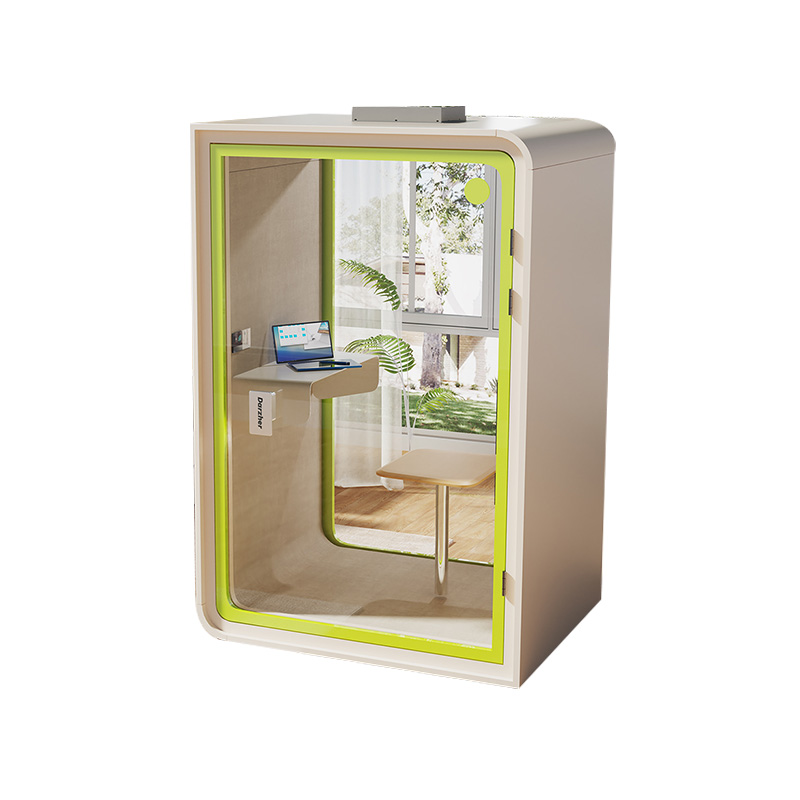
W2200D1535H23000000.png "Boardroom Pod")
 Add: Building18, No. 331, Haidong Road, Lihai Street, Yuecheng District, Shaoxing City, Zhejian, China
 Tel: +86-18057599511 / +86-0575-89291658
 Fax: +86-0575-89291658
 Email: