 Get A Quote


 English
 中文简体
中文简体Modern ergonomic workspace design relies heavily on dynamic furniture solutions that allow users to alternate between sitting and standing postures throughout the workday. The primary solution for achieving this physical flexibility is the deployment of Electric Height Adjustable Standing Desks. These motorized workstations utilize integrated electronic drive systems, internal lead screw mechanisms, and multi section telescoping legs to alter desktop elevation smoothly at the push of a button. By transitioning effortlessly between varied height thresholds, users can reduce prolonged physical stasis, maintain healthier lumbar alignment, reduce lower back fatigue, and adapt their work surfaces to different tasks and physical requirements.
Understanding the landscape of height adjustable office equipment requires examining the underlying mechanical architecture, frame structural options, motor drive configurations, control electronics, and load capacities that distinguish various models. Whether selecting a single desktop for a compact home office, an extended corner workstation for heavy multi monitor setups, or a mobile motorized desk for flexible hot desking environments, evaluating how these systems operate ensures that the chosen equipment meets long term operational demands and ergonomic standards.
Understanding the Core Mechanics of Electric Height Adjustable Standing Desks
The operational foundation of modern Electric Height Adjustable Standing Desks centers on converting rotational kinetic energy generated by electric motors into linear vertical thrust. Unlike manual crank desks that require physical turning motion or pneumatic desks that depend on gas spring pressure, electric motorized desks deliver precise, continuous height adjustments controlled by microprocessors inside a centralized control box.
Dual Motor versus Single Motor Drive Architectures
Motor configuration represents one of the most critical structural distinctions among motorized sit stand workstations. Single motor standing desks utilize one electric motor mounted centrally or at one side of the crossbar frame. This single motor transfers rotational power across the width of the frame to the opposite leg using a hexagonal rotating drive rod connected to internal gearboxes in both leg columns. Single motor systems provide a cost effective entry point for light duty home office use, but they generally exhibit lower total weight capacities, slower lifting speeds, and increased mechanical strain when load distribution across the desktop surface is uneven.
In contrast, high performance Electric Height Adjustable Standing Desks deploy dual motor drive architectures. In a dual motor configuration, each leg column houses its own dedicated, high torque electric motor, usually concealed neatly within the top motor housing box at the head of each leg column. A central electronic control box synchronizes the rotation of both motors millisecond by millisecond, sending precise electrical pulses to ensure both columns ascend and descend at identical rates. Dual motor setups deliver substantially higher dynamic weight capacities, faster linear travel speeds, quieter operational sound profiles, and superior stability when lifting asymmetrical loads such as heavy computer towers and weighted monitor arms.
Telescopic Leg Column Configurations and Stability Metrics
The vertical adjustment range and structural rigidity of a standing desk depend almost entirely on the design of its telescoping leg columns. Leg columns are constructed from heavy gauge extruded aluminum or cold rolled structural steel tubes nested inside one another. Internal plastic glide pads positioned between the nested metal tube sections ensure low friction movement while preventing direct metal on metal abrasion and lateral wobble.
Leg columns are primarily categorized into two stage and three stage configurations:
Two Stage Leg Columns: Composed of two nested telescoping tube sections. These columns offer a standard height adjustment range suitable for average height adult users during seated and standing activities. However, because two stage columns have a higher minimum collapsed height and a lower maximum extended height, they may not accommodate extremely short seated postures or exceptionally tall standing requirements.
Three Stage Leg Columns: Feature three overlapping telescoping tube sections. By incorporating an additional nested segment, three stage columns achieve a wider total height adjustment range, lowering significantly further down to accommodate shorter seated positions and extending higher to provide rock solid stability for taller individuals. Furthermore, three stage columns maintain greater structural overlap between tube segments at maximum extension, effectively minimizing frame sway during typing or leaning.
Leg column orientation also impacts overall desk aesthetics and physical stability. Standard upright leg designs feature the thickest tube section at the bottom resting on the floor foot, with progressively thinner sections extending upward toward the desktop. Inverted leg designs place the widest tube section at the top attached to the desktop frame, with narrower sections extending down toward the foot. Both orientations offer high structural strength when built with precise manufacturing tolerances, though top heavy inverted designs can offer clean visual lines along the floor base.
Primary Functional Categories of Motorized Standing Workstations
Electric height adjustable desks are available in diverse structural form factors tailored to specific spatial footprints, ergonomic tasks, and user workflows. Identifying the primary desk categories helps buyers match frame geometries to their specific office environments.
Standard Rectangular Single Desktop Workstations
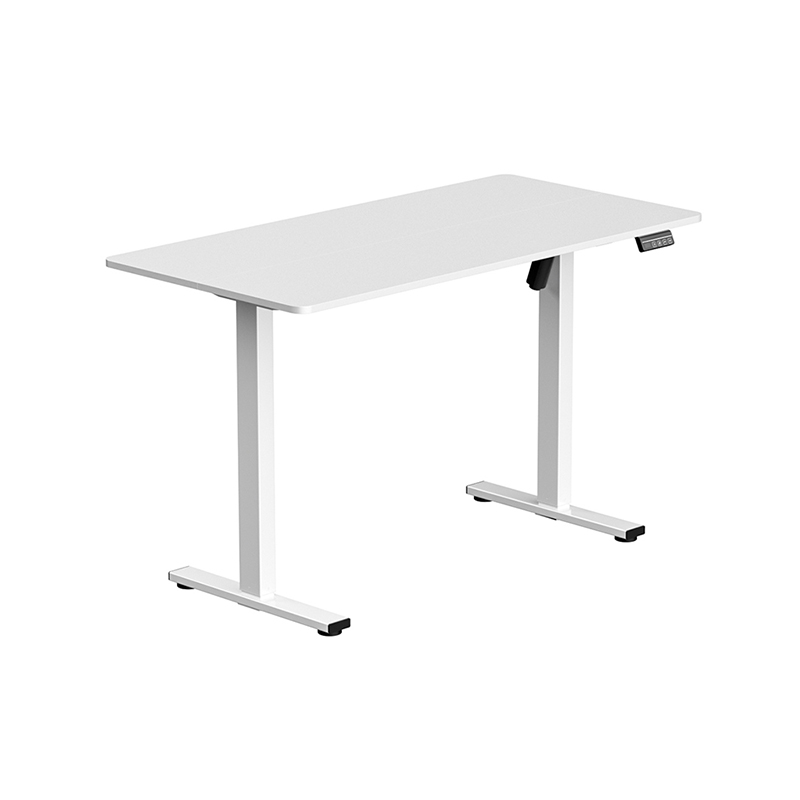
Standard rectangular electric desks represent the most widely used category across home offices and commercial corporate environments. These desks feature a classic two leg frame structure supporting a single rectangular tabletop ranging in width from forty inches up to eighty inches, with depth dimensions typically spanning twenty four to thirty inches.
A well engineered rectangular desk frame utilizes an adjustable telescoping center crossbar connecting the two leg columns. This expandable crossbar design allows users to adjust the frame width to fit various desktop surface sizes, offering future flexibility if the user decides to upgrade to a larger or smaller tabletop surface later. Standard rectangular workstations excel in general computer work, providing ample room for dual monitors, a keyboard, mouse, and desktop accessories while maintaining a manageable room footprint.
L Shaped Corner Desks for Expanded Surface Area
For professionals requiring vast workspace real estate, such as software developers, financial analysts, video editors, and digital artists, L shaped height adjustable corner desks provide an expansive solution. An L shaped electric desk consists of a main primary desk surface attached to a secondary return surface, creating a continuous ninety degree corner workstation layout.
To elevate this expanded physical structure safely, L shaped standing desks utilize a specialized three leg frame powered by a triple motor system. Each of the three lifting columns contains an independent motor managed by an advanced three channel central control box. This ensures that all three legs lift synchronously without twisting or tilting the heavy corner desktop. L shaped setups maximize floor space efficiency when placed in room corners while allowing users to organize dedicated zones for computer tasks, paperwork, and conferencing on a single height adjustable surface.
Compact and Mobile Height Adjustable Desks
Compact and mobile electric desks cater to space constrained apartments, flexible hot desking zones in modern agile offices, medical clinical environments, and educational spaces. These specialized workstations feature small surface footprints, often measuring thirty inches in width or less, supported by a specialized single central lifting column or a narrow two leg frame.
Many compact models incorporate heavy duty locking caster wheels attached to the base feet, allowing users to roll the workstation smoothly across hardwood or carpeted floors. Mobile electric desks often feature integrated rechargeable lithium battery packs alongside standard wall plug options, enabling wire free height adjustments and movement between rooms without requiring continuous connection to an electrical wall outlet.
Advanced Control Mechanisms and Digital Interface Features
The user interface handset mounted along the front edge of the desktop serves as the control center for an Electric Height Adjustable Standing Desk. Modern electronic control units offer sophisticated digital features that enhance user safety, operational convenience, and ergonomic adherence.
Programmable Memory Handsets and Digital Height Displays
Basic electric desks feature simple two button handsets with up and down directional switches. While functional, basic push button interfaces require the user to hold the button continuously and manually gauge proper standing and sitting heights by eye during every transition.
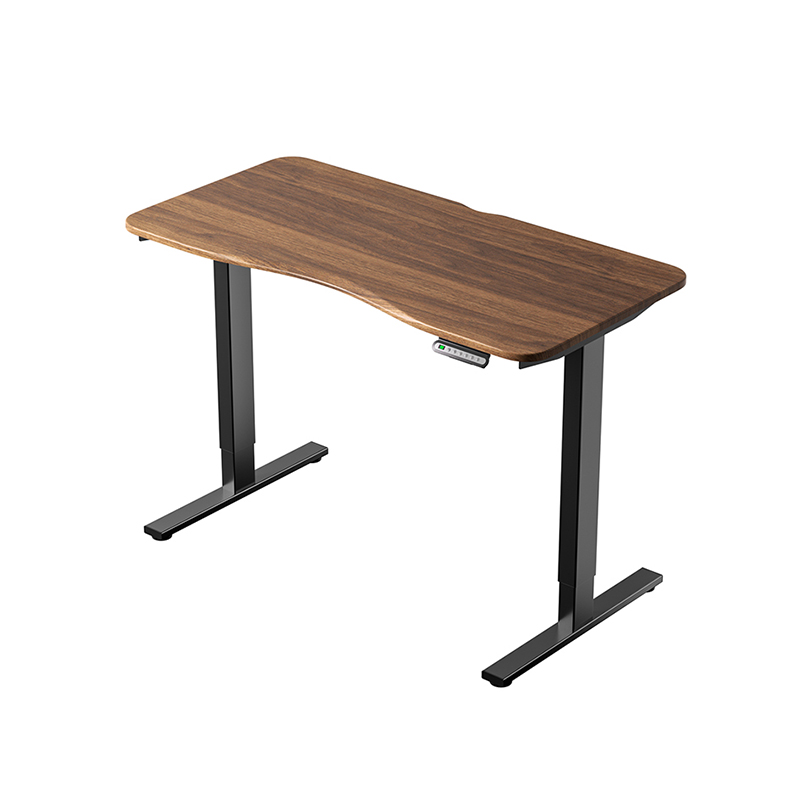
Advanced Electric Height Adjustable Standing Desks include digital memory handsets featuring illuminated LED or LCD numeric displays that show the exact current desktop height in inches or centimeters down to the millimeter. These handsets allow users to program multiple height presets into internal memory registers. By pressing a single preassigned memory button, the motor control box automatically drives the desk surface to the precise target elevation and stops smoothly. Multiple memory slots enable different family members or office co workers to store their personalized seated and standing height preferences on a shared workstation.
Some digital control units also incorporate sedentary reminder timers. These integrated health timers emit subtle acoustic alerts or visual indicator prompts after a set duration of seated time, reminding the user that it is time to switch to a standing posture to encourage movement throughout the workday.
Integrated Anti Collision Sensor Technology
Safety is a critical requirement for motorized office furniture, especially in environments with under desk storage cabinets, rolling filing pedestals, low window sills, or hanging wall shelves. If an electric desk encounters an obstruction while moving downward or upward, the powerful gearboxes can cause structural damage to surrounding objects or strain the frame assembly if motion continues.
To counteract this operational hazard, high quality Electric Height Adjustable Standing Desks incorporate advanced anti collision sensor technology built directly into the central control box electronics:
Gyroscopic Tilt Sensors: Electronic gyroscopes track the micro angle level of the desktop in real time during movement. If the desk surface contacts an obstruction, one side of the frame decelerates while the opposite side continues moving, causing a minute fraction of a degree in frame tilt. The gyroscopic sensor detects this instant angle shift, immediately signals the control box to stop motor power, and automatically reverses the frame direction by several centimeters to clear the obstruction.
Current Spike Monitoring: The central control unit continuously monitors the electrical current drawn by each motor. When a moving leg encounters physical resistance from a firm object under or above the desk, motor load increases sharply, causing a sudden spike in amperage draw. The control software interprets this rapid current spike as a physical collision, instantly halting drive motion and backing the desk away from the object.
Desktop Surface Materials and Structural Load Considerations
While the underlying metal frame provides lifting force and structural rigidity, the desktop surface provides the tactile, visual, and functional platform for daily work. Selecting an appropriate tabletop material involves balancing physical durability, aesthetics, maintenance requirements, and weight.
Solid Hardwood and Engineered Wood Laminates
Desktop surfaces are manufactured using various timber, composite, and synthetic materials, each offering specific performance characteristics:
High Density Laminate Surfaces: Constructed from dense particle board or medium density fiberboard cores wrapped in durable high pressure decorative laminate skins. Laminate tops offer high resistance to surface scratches, liquid spills, heat rings from coffee mugs, and daily wear. They are available in vast color arrays, solid tones, and realistic wood grain patterns, making them a practical, low maintenance choice for busy office settings.
Solid Hardwood Tops: Milled from natural timber species such as oak, walnut, maple, cherry, or butcher block birch. Solid wood desktops provide unmatched natural grain beauty, tactile warmth, and structural strength. However, solid wood is significantly heavier than composite cores, requiring a dual motor frame with adequate dynamic lifting capacity. Solid wood surfaces also require periodic oiling or sealing care and can expand or contract slightly in response to major room humidity shifts.
Bamboo Worksurfaces: Milled from fast growing natural bamboo stalks that are sliced, layered, and heat pressed into dense, durable planks. Bamboo offers high tensile strength, natural moisture resistance, and a distinct linear grain aesthetic, providing a sustainable natural wood alternative with high durability.
Under Desk Cable Management and Accessories Integration
As an electric desk ascends and descends, attached electronic devices, power supplies, monitor cables, and network lines move along with the tabletop. Without proper cable organization, loose cords can tangle around structural frame crossbars, catch on surrounding furniture, or become unplugged during upward transit.
Integrating comprehensive cable management solutions is essential for maintaining safety and clean aesthetics. Under desk cable raceway trays mounted to the underside of the tabletop collect power bricks, surge protectors, and slack wire bundles into a single elevated channel. Flexible articulating cable spine conduits guide main power cords from the moving desk frame down to the floor outlet cleanly, expanding and contracting smoothly alongside vertical desk movements without pinching wires.
Furthermore, mounting heavy accessories such as dual monitor arms requires verifying desktop core density. High density laminate and solid wood desktops hold clamping monitor mounts firmly without crushing, whereas thin hollow core surfaces can bend or crack under the localized clamping torque generated by heavy monitor arms.
Diagrammatic Overview of Ergonomic Adjustment and Height Positioning
Proper ergonomic setup of a height adjustable standing desk ensures that body joint angles remain in neutral, low strain positions whether sitting or standing.
Essential Factors to Evaluate When Selecting a Motorized Sit Stand Desk
Selecting the right height adjustable workstation demands systematic evaluation of physical dimensions, mechanical specs, and user requirements. Reviewing key performance criteria ensures that the chosen desk provides reliable service across its operational lifespan.
Height Adjustment Range and User Height Compatibility
The total vertical travel range of a standing desk determines whether it can correctly accommodate specific body heights according to established ergonomic guidelines published by organizations like the Business and Institutional Furniture Manufacturers Association BIFMA.
A desk with a height adjustment range extending from twenty two inches at its lowest setting up to forty eight inches at its highest setting successfully accommodates the fifth percentile female seated height up to the ninety fifth percentile male standing height. Taller individuals over six feet two inches tall should verify that the maximum extended height, including tabletop thickness, elevates the keyboard surface high enough to keep elbows bent at a comfortable ninety degree angle without rounding the shoulders or slouching the upper spine forward.
Weight Capacity Ratings and Dynamic Load Handling
It is necessary to distinguish between static weight capacity and dynamic lifting capacity when evaluating standing desk specifications. Static weight capacity refers to the maximum weight the desk frame can safely support when resting stationary in a locked position. Dynamic lifting capacity defines the maximum weight the internal motor drive system can actively lift and lower smoothly during movement.
When calculating total equipment weight, users must sum the weight of the tabletop surface itself, computer monitors, mounting arms, desktop computer towers, speakers, desk lamps, and personal accessories. Operating an electric desk near its maximum dynamic load limit can cause motor overheating, increased operational noise, and accelerated gear wear. Selecting a frame with a dynamic load rating that exceeds total anticipated equipment weight by twenty to thirty percent ensures effortless motor performance and prolonged mechanical component life.
Noise Level Generation and Motor Smoothness
Motor noise level is an important consideration in quiet residential homes and open plan commercial offices. High quality dual motor electric desks operate quietly, generating operational sound levels below fifty decibels during height transit. Quiet sound profiles allow users to adjust their desk height during phone calls or virtual video meetings without causing audio disruption for online participants.
Additionally, internal motor controllers should feature soft start and soft stop motion profiles. Instead of jerking to an abrupt start or stopping suddenly, soft start algorithms gradually accelerate motor rotation up to cruising speed and decelerate smoothly as the frame reaches its final height target. This gentle motion profile prevents liquid coffee spills from open cups resting on the desk surface and prevents top heavy monitor displays from shaking violently during adjustment cycles.
Preventative Care Maintenance and Troubleshooting Procedures
Maintaining an Electric Height Adjustable Standing Desk involves basic preventative care and simple diagnostic procedures to preserve smooth motor operation, accurate digital readings, and structural stability over years of daily use.
Control Box Reset Routines and Error Code Diagnostics
Occasionally, an electric standing desk may experience a minor electronic sync variance, power interruption, or safety lockout that causes the handset to display an error code such as E01, E07, or RST, while refusing to move upward. This condition usually occurs when one motor encounters temporary resistance, causing the central control box to lose calibration between the two leg columns.
Resolving sync errors requires performing a manual system reset calibration sequence:
Clear Obstructions and Unplug Power: Verify that no physical objects are blocking frame motion beneath the desk. Disconnect the main power cable from the electrical wall socket, wait thirty seconds for internal control box capacitors to discharge completely, and plug the power cord back in securely.
Execute Manual Reset Command: Press and hold the down directional button on the handset continuously. The desk frame will drive downward to its absolute lowest mechanical limit, bottom out briefly, bump upward by a few millimeters, and stop.
Verify Display Reset Confirmation: Once the frame completes the bottom reset movement, the digital handset display will reset to show its lowest baseline height value or display a standard operational readout. Releasing the down button completes the reset sequence, restoring full upward and downward motor functionality.
Mechanical Lubrication and Frame Fastener Tightening
The internal lead screws and precision worm gearboxes inside the leg columns are factory lubricated with synthetic lithium grease designed to last for thousands of cycles under normal operating conditions. Users should avoid applying heavy spray lubricants or liquid oil to the external surfaces of the metal leg columns. External oil applications attract ambient dust, hair, and grit, creating an abrasive paste that damages internal plastic glide pads and scores the powder coated surface of the telescoping steel tubes.
To maintain clean mechanical operation, users should wipe down the exterior surface of the metal leg columns monthly using a soft microfiber cloth lightly dampened with water or mild soapy solution. Wiping away accumulated dust prevents debris from being dragged down into the internal glide pad housing during downward transit.
Finally, because height adjustable desks experience continuous micro vibrations from motor rotation and daily typing activities, frame hardware can loosen gradually over time. Every six to twelve months, users should inspect under desk mounting bolts, crossbar frame connection screws, and floor leveler feet, retightening any loose hardware using appropriate hex keys to preserve maximum structural rigidity and eliminate unwanted desk wobble.
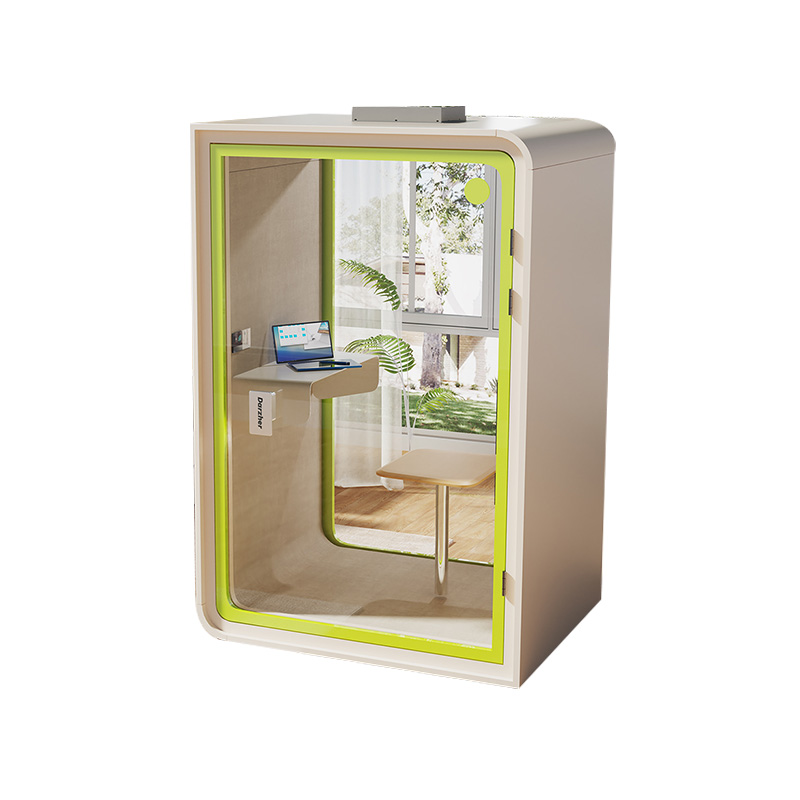
W2200D1535H23000000.png "Boardroom Pod")
 Add: Building18, No. 331, Haidong Road, Lihai Street, Yuecheng District, Shaoxing City, Zhejian, China
 Tel: +86-18057599511 / +86-0575-89291658
 Fax: +86-0575-89291658
 Email: