 Get A Quote


 English
 中文简体
中文简体The peripheral market for competitive electronic sports has expanded to a point where every single component of a setup is scrutinized for its performance benefits. While many enthusiasts focus primarily on the technical specifications of their sensors or the polling rates of their keyboards, the surface upon which the mouse operates is equally vital. High quality gaming mouse pads are not merely decorative accessories but are precision engineered tools that dictate the interaction between the optical sensor and the desktop. The choice of a mouse pad affects everything from the initial force required to move the mouse to the stopping power needed for pixel perfect headshots in competitive shooters. This article provides an extensive examination of the different types of surfaces available, the manufacturing techniques used to create them, and how these factors impact both professional performance and daily ergonomic comfort.
A gaming mouse pad serves as the critical interface between the hardware and the user intent. Without a consistent surface, even the most advanced 30,000 DPI sensor will struggle with jitter or tracking errors caused by microscopic irregularities in a wooden or plastic desk. By providing a uniform texture, specialized gaming mouse pads allow the digital signal processing within the mouse to calculate movement with absolute reliability. As the demand for higher precision grows, manufacturers have developed a wide array of specialized fabrics and hard materials to cater to different playing styles, ranging from low sensitivity tactical shooters to high speed arena combat.
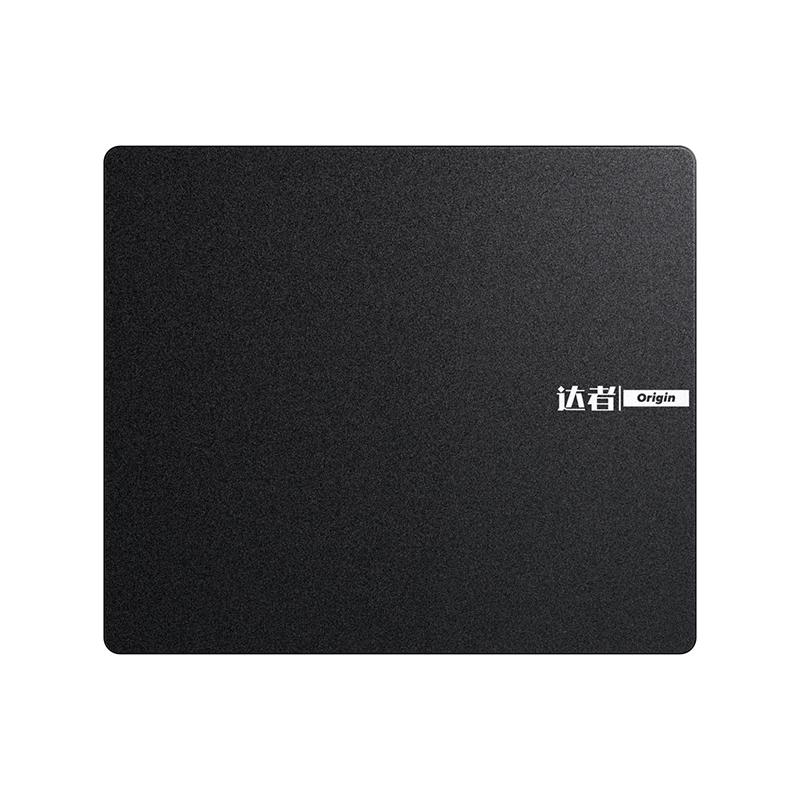
[Image of a high precision gaming mouse pad with an optical sensor mouse positioned on top]
The Fundamental Material Science Behind Modern Gaming Surfaces
The performance characteristics of gaming mouse pads are primarily determined by the material used for the top tracking layer. Generally, the market is divided into soft cloth pads and hard surface pads, each offering a distinct feel and specific advantages for different types of sensor technologies. Understanding the molecular and structural differences in these materials is the first step toward optimizing a gaming setup for peak efficiency.
Soft Cloth Surfaces and Micro Weave Technology
Soft gaming mouse pads, often referred to as cloth pads, are the most popular choice among both casual and professional players. These pads typically consist of a high density fabric layer bonded to a rubberized foam base. The weave of the fabric is the most important factor in determining the friction levels of the surface. Manufacturers use specialized textile techniques to create a micro weave that is tight enough to provide a smooth glide while maintaining enough texture for the mouse feet to grip when stopping. This balance is often described as the difference between static friction and dynamic friction.
A tighter weave usually results in a faster pad, which is ideal for players who use high sensitivity settings and rely on rapid, twitch based movements. Conversely, a more open or textured weave provides more control, offering a tactile feedback that helps players feel the movement of the mouse against the surface. The material used in these cloth pads is typically a heat treated polyester or nylon blend. This heat treatment helps to flatten the fibers, reducing the amount of vertical drag and ensuring that the mouse moves with the same resistance regardless of whether it is being pushed horizontally or vertically. This consistency is paramount for muscle memory development, as the brain relies on predictable physical resistance to calibrate movement distances.
Hard Surfaces and Low Friction Polymeric Compounds
For users who prioritize raw speed above all else, hard gaming mouse pads offer a surface that is almost frictionless. These pads are typically constructed from a solid sheet of plastic, aluminum, or specialized tempered glass. Unlike cloth pads, which have a certain amount of give or cushion, hard surfaces provide a perfectly rigid platform. This rigidity ensures that the feet of the mouse stay perfectly flat, reducing the total surface area in contact with the pad and allowing for extremely fast acceleration.
Hard pads are particularly favored by players who use laser sensors, although modern optical sensors have largely closed the gap in compatibility. One of the primary advantages of a hard surface is its durability and ease of maintenance. Because the material is non-porous, it does not absorb sweat, oils, or skin cells from the user arms. This means the tracking performance remains identical from the first day of use until the surface eventually wears down. However, hard surfaces provide very little stopping power, meaning the user must rely entirely on their own muscular control to halt the mouse at a specific point. This makes them more challenging for beginners but highly rewarding for those with exceptional fine motor skills.
[Image comparing the texture of a micro weave cloth pad and a smooth hard plastic surface]
The Impact of Surface Thickness and Base Stability
While the top layer dictates the glide, the middle layer and the base of the gaming mouse pad are responsible for comfort and stability. The thickness of a pad is not just a matter of personal preference but affects how the pad interacts with the desk and the user wrist.
Evaluating the Thickness Categories for Ergonomic Support
Gaming mouse pads generally come in three thickness categories: thin, standard, and heavy. Thin pads, usually around 2 millimeters, are designed for portability and a firm feel. They provide a very close connection to the desk surface, which is beneficial if the desk is perfectly flat. However, if the underlying desk has any imperfections, such as scratches or wood grain, a thin pad will often telegraph those bumps through the fabric, potentially interfering with the sensor tracking or causing discomfort during long sessions.
Standard pads, ranging from 3 to 4 millimeters, are the industry benchmark. This thickness provides a comfortable amount of cushioning for the wrist while maintaining enough firmness for a consistent glide. Heavy pads, which can be 5 or 6 millimeters thick, are designed specifically for gamers who play on uneven surfaces or who prefer a very soft, cushioned feel. The extra thickness acts as a leveling agent, smoothing out any irregularities in the desk. Furthermore, heavy pads allow the user to press the mouse slightly into the fabric to create extra stopping power during intense flick shots, a technique used by many professional tactical shooter players to increase their accuracy.
The Role of Natural Rubber Bases in Preventing Movement
A high performance gaming surface is useless if it slides across the desk during a crucial moment. To prevent this, manufacturers utilize high quality natural rubber or specialized silicone for the base layer. The bottom of the pad is usually molded with a non slip pattern, such as a hexagonal or herringbone texture, which creates a vacuum like grip on the desk surface.
The quality of the rubber is also important for the longevity of the pad. Low grade foam bases tend to lose their elasticity over time, becoming brittle or permanently compressed in areas where the wrist frequently rests. High density natural rubber maintains its shape for years and provides a consistent level of support across the entire surface area. This stability ensures that the relationship between the user arm, the mouse, and the screen remains constant, which is a foundational requirement for developing long term accuracy and reducing the risk of repetitive strain injuries.
Advanced Construction Techniques and Edge Longevity
The durability of a gaming mouse pad is often defined by its edges. Because the pad is composed of multiple layers of different materials, the point where these layers meet is a common failure point. In traditional pads, the fabric layer would eventually peel away from the rubber base, a phenomenon known as delamination.
The Benefits of Anti Fray Stitched Edges
To combat the issue of delamination and fraying, modern premium gaming mouse pads feature reinforced stitched edges. This process involves a high density overlock stitch that wraps around the entire perimeter of the pad, physically binding the top fabric layer to the rubber base. This stitching not only prevents the layers from separating but also protects the fabric from the constant abrasion caused by the user forearm moving back and forth.
When selecting a pad with stitched edges, it is important to look for a low profile stitch. If the stitching is too high or too coarse, it can irritate the skin of the wrist or catch the mouse cable, leading to unwanted drag. The best designs use a fine thread and a tight stitch pattern that sits flush with or slightly below the surface of the fabric. This ensures that the user has a seamless experience while enjoying the significantly extended lifespan that stitched edges provide. For desk mat sized pads, where the user arms are constantly in contact with the edges, this feature is essential for maintaining both comfort and a professional appearance over many months of heavy use.
[Image of a close up shot showing the detail of a high density anti fray stitched edge]
Size Categories and the Desktop Coverage Strategy
The physical dimensions of gaming mouse pads have evolved alongside changes in player sensitivity and desktop organization. While a small pad was once the standard, the trend has shifted toward much larger surfaces that cover a significant portion of the gaming area.
Large and Extended Form Factors for Low Sensitivity Play
In many competitive games, particularly first person shooters, players use a low dots per inch setting to achieve higher precision. This means that a large physical movement of the mouse is required to turn the character in the game. For these players, a standard sized mouse pad is insufficient, as they would constantly run off the edge of the surface. Large and Extra Large pads provide the necessary real estate for wide sweeping arm movements without the risk of the mouse losing its tracking surface.
The extended or desk mat format takes this a step further by covering the area under both the mouse and the keyboard. This provides several benefits beyond just mouse space. First, it creates a uniform aesthetic for the entire desk, which is a major factor for many users who take pride in their workstation appearance. Second, it provides a cushioned surface for the keyboard, which can dampen the sound of mechanical switches and prevent the keyboard from sliding during intense gameplay. Finally, having the keyboard on the same surface as the mouse helps to maintain a consistent height for both hands, which is better for long term ergonomics and posture.
|
Pad Size Category |
Typical Dimensions |
Primary User Group |
Desktop Benefit |
|---|---|---|---|
|
Small / Compact |
250mm x 210mm |
Casual users with limited desk space |
Easy to transport and fits anywhere |
|
Medium / Standard |
320mm x 270mm |
High sensitivity gamers and office work |
Good balance of space and footprint |
|
Large / Pro |
450mm x 400mm |
Low sensitivity competitive players |
Allows for wide arm movements and flicks |
|
Extended / Desk Mat |
900mm x 400mm |
Full setup enthusiasts and streamers |
Provides a uniform surface for all peripherals |
Optimizing Sensor Tracking and Surface Calibration
The relationship between the mouse sensor and the surface is a highly technical one. Modern optical sensors function by taking thousands of high resolution images of the surface per second and comparing them to determine the direction and speed of movement. The texture and color of the gaming mouse pad play a significant role in how clearly the sensor can see these details.
Color Consistency and Surface Uniformity
While many gaming mouse pads feature elaborate artwork or bright colors, professional grade pads often favor a solid, neutral color, usually black. This is because a solid color provides the most consistent background for the sensor. Highly complex patterns or rapid transitions in color can sometimes confuse the sensor, leading to pixel skipping or erratic tracking, especially at high speeds.
Furthermore, the surface must be uniform in its reflective properties. If some parts of the pad are shinier than others, the sensor may struggle to maintain a consistent lift off distance. Lift off distance is the height at which the sensor stops tracking when the mouse is raised off the surface. A high quality pad ensures that the lift off distance remains identical across every square inch of the material, allowing the player to reposition their mouse with confidence and speed without causing unwanted camera movement in the game.
Software Calibration and Surface Tuning
Some advanced gaming mice come with software that allows the user to calibrate the sensor to their specific mouse pad. This process usually involves moving the mouse in a figure eight pattern across the surface while the software analyzes the reflection patterns of the material. This tuning process optimizes the sensor for the specific friction and texture of the pad, resulting in the lowest possible latency and the most accurate tracking.
Even if a mouse does not have specific surface tuning software, choosing a high quality pad from a reputable manufacturer ensures that the sensor is operating within its designed tolerances. Many mouse manufacturers develop their sensors and pads concurrently to ensure perfect synergy. When the sensor is perfectly calibrated to the surface, the user experiences a feeling of 1:1 tracking, where the movement on the screen is a perfect digital representation of the physical movement on the desk. This level of precision is what separates high tier gaming equipment from standard office supplies.
[Image showing a mouse sensor glowing as it tracks across a uniform black fabric surface]
Maintenance Protocols for Preserving Performance
Because gaming mouse pads are in constant contact with the user skin, they inevitably accumulate dust, skin cells, and sweat. This build up can significantly alter the friction characteristics of the pad, often creating muddy spots where the mouse feels slower or more resistant to movement.
Cleaning Procedures for Cloth and Hybrid Pads
Maintaining a cloth pad requires a careful approach to avoid damaging the fibers or the adhesive that bonds the layers together. For a deep clean, many experts recommend using lukewarm water and a small amount of mild dish soap. The pad should be soaked in a tub and gently scrubbed with a soft sponge or cloth. It is important to avoid using harsh brushes or abrasive scrubbers, as these can fray the micro weave and permanently change the glide of the pad.
After cleaning, the pad must be allowed to air dry completely. This can take up to twenty four hours depending on the thickness of the rubber base. It is crucial to avoid using a clothes dryer or a hair dryer on high heat, as the intense heat can melt the rubber or cause the fabric to warp. For daily maintenance, a simple lint roller can be used to remove dust and hair, ensuring that the surface remains clear for the sensor to track. By keeping the pad clean, you ensure that the friction levels remain consistent, which is essential for maintaining the muscle memory you have worked hard to develop.
Maintaining Hard and Glass Surfaces
Hard gaming mouse pads are significantly easier to maintain than their cloth counterparts. Because they are made from non-porous materials, they can be wiped down with a damp cloth or a mild glass cleaner to remove fingerprints and oils. For glass pads, using a microfiber cloth is the best way to ensure a streak free finish that does not interfere with the sensor.
One unique maintenance factor for hard pads is the wear on the mouse feet themselves. Because the hard surface is much more abrasive than cloth, the PTFE or ceramic feet on the bottom of the mouse will wear down faster. Users of hard pads should regularly inspect their mouse feet and replace them when they become thin or scratched. This ensures that the low friction glide remains consistent and prevents the hard base of the mouse from coming into direct contact with the surface of the pad, which could cause permanent damage to both.
Ergonomics and Long Term Health Considerations
Beyond performance, the choice of a gaming mouse pad has a significant impact on the physical health of the user. Competitive gaming often involves repetitive movements for hours at a time, which can put a massive amount of strain on the wrist and forearm.
Pressure Distribution and Wrist Alignment
A well cushioned gaming mouse pad helps to distribute the pressure of the wrist across a larger surface area. When using a mouse on a hard desk, the weight of the hand is often concentrated on a small point on the wrist, which can lead to compression of the nerves and tendons. A 4 millimeter or 6 millimeter cloth pad provides a soft interface that conforms to the shape of the user arm, reducing these pressure points.
The height of the pad also contributes to the alignment of the wrist. If a pad is too thick, it may cause the wrist to bend upward at an unnatural angle, which can contribute to carpal tunnel syndrome over time. Conversely, a pad that is too thin provides no support. The ideal setup often involves a standard thickness pad combined with a neutral arm position where the elbow is at the same height as the desk. By prioritizing ergonomics in the selection of a mouse pad, gamers can ensure that they can continue to play at their best for years to come without developing chronic pain or injury.
Texture and Skin Irritation
For players who use a large surface area and move their entire arm across the pad, the texture of the fabric is an important comfort factor. Some high speed cloth pads have a slightly rough or cordura like texture that can be abrasive to the skin during long sessions. This can lead to redness or irritation on the underside of the forearm.
Players who find themselves sensitive to these textures may prefer a smooth, silk like fabric or a pad with a very fine micro weave. Additionally, some users choose to wear compression sleeves to reduce the friction between their skin and the mouse pad. This not only protects the skin but also provides a more consistent glide by eliminating the variable of skin moisture and oils. Choosing a pad that feels comfortable against the skin is just as important as choosing one that tracks well, as discomfort is a major distraction that can negatively impact performance during critical gaming moments.
[Image of a gamer utilizing a large desk mat with a neutral wrist position and proper ergonomics]
Customization and the Aesthetic Value of Gaming Surfaces
The gaming mouse pad is often the largest visual element on a desk, making it a primary candidate for aesthetic customization. For many users, the mouse pad is an extension of their personal style and a way to tie together the theme of their entire gaming room.
Integrating RGB Lighting and Smart Features
In recent years, RGB lighting has become a standard feature on many high end gaming mouse pads. These pads feature a light guide made of a clear polymer that runs around the edge of the surface, illuminated by LEDs integrated into the hub where the cable connects. Through software, these lights can be synchronized with the mouse, keyboard, and even the lighting inside the PC case.
Beyond pure aesthetics, some modern mouse pads incorporate smart features such as integrated wireless charging. These pads utilize induction coils hidden beneath the surface to charge a wireless mouse while it is in use. This eliminates the need for charging cables and ensures that the mouse never runs out of battery during a session. While these features add to the cost and complexity of the pad, they offer a level of convenience and visual flair that many enthusiasts find indispensable for a truly modern gaming setup.
Custom Prints and High Resolution Graphic Surfaces
For those who prefer a more personal touch, many companies offer custom printed gaming mouse pads. This allows users to upload their own artwork, photographs, or team logos to be printed directly onto the fabric. High quality sublimation printing ensures that the ink is embedded within the fibers of the material, meaning the graphic will not peel or fade and, more importantly, will not affect the tracking performance of the surface.
When choosing a graphic pad, it is important to ensure that the printing process has not left a sticky or uneven residue on the fabric. A well made custom pad should feel identical to a standard solid color pad. This level of customization allows gamers to create a workspace that is truly unique, whether it is a minimalist design that matches a professional office or a vibrant, art driven surface that serves as the centerpiece of a high energy gaming battlestation. By combining performance engineering with personal expression, the modern gaming mouse pad has truly become a vital component of the digital lifestyle.

W2200D1535H23000000.png "Boardroom Pod")

 Add: Building18, No. 331, Haidong Road, Lihai Street, Yuecheng District, Shaoxing City, Zhejian, China
 Tel: +86-18057599511 / +86-0575-89291658
 Fax: +86-0575-89291658
 Email: