 Get A Quote


 English
 中文简体
中文简体Electric height adjustable standing desks have moved from niche ergonomic equipment into mainstream office and home workspace furniture — and for good reason. Research published in the British Journal of Sports Medicine found that alternating between sitting and standing reduced upper back and neck pain by 54% over four weeks among sedentary office workers. The practical question is no longer whether to use a standing desk, but which configuration suits your workspace, load requirements, and working style. A single motor electric lifting table is the right choice for most individual home office setups; a double motor table is necessary for heavier loads, wider surfaces, or commercial use; and a gaming glass electric lifting table delivers the aesthetic and functional package that dedicated gaming setups demand. This guide covers each type in detail so you can match the desk to the reality of how you work.
How Electric Height Adjustable Standing Desks Work?
All electric height adjustable standing desks operate on the same fundamental principle: one or more electric motors drive lead screws or rack-and-pinion mechanisms inside telescoping steel columns (legs). When the motor receives a signal from the control panel, it turns the lead screw, which extends or retracts the inner column section, raising or lowering the desk surface. The control panel — typically a programmable keypad mounted to the desktop edge — stores height presets, displays current height, and on advanced models tracks sit/stand time.
Key Mechanical Components
- Column sections: Two-stage columns (one inner and one outer tube) offer a height range of approximately 65–130 cm. Three-stage columns (two telescoping inner sections) extend that range to approximately 58–125 cm while collapsing more compactly — better for very short or tall users and for sit-to-stand versatility in shared workspaces.
- Lead screws vs belt drive: Lead screw systems are more common and mechanically robust. Belt-drive systems operate more quietly but are less common in mainstream consumer desks.
- Anti-collision detection: Quality electric desks include sensors in the motor or column that detect resistance during movement and reverse direction automatically — preventing damage to objects placed under the desk and protecting the motor from overload.
- Memory presets: Most current models offer 3–4 programmable height presets, allowing users to switch between sitting height, standing height, and any custom position with a single button press.
Noise Levels During Operation
Motor noise during height adjustment is a practical consideration in open plan offices and shared home environments. Most single motor desks operate at 45–55 dB during movement — comparable to a quiet conversation. Double motor desks, spreading load across two motors, often run quieter at 40–50 dB despite higher power output. Glass desks with precision motor systems can achieve under 45 dB, though this varies significantly by brand and motor quality.
Single Motor Electric Lifting Table: Efficient and Affordable for Individual Use
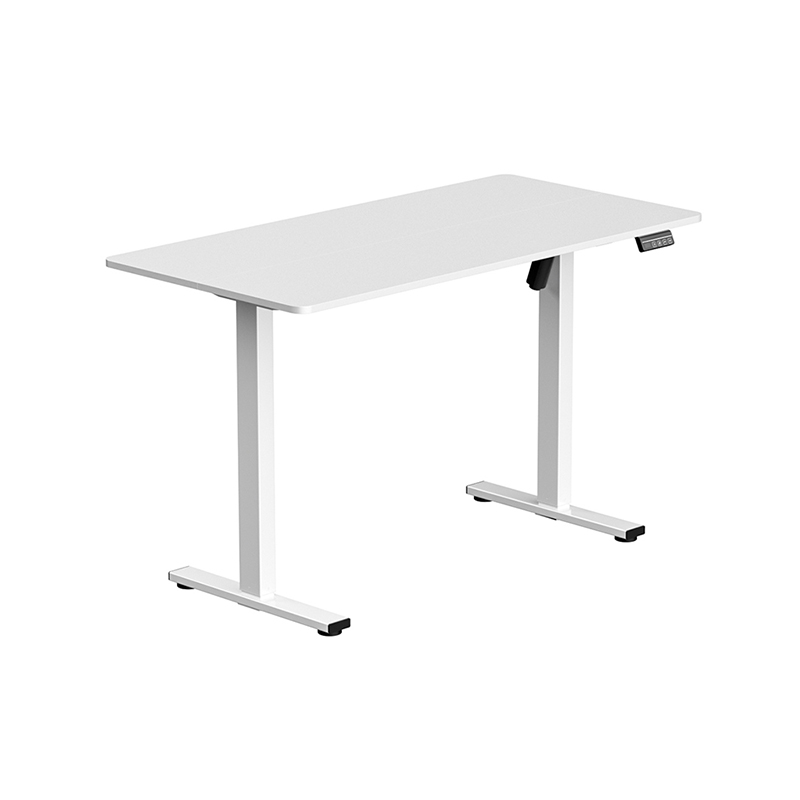
A single motor electric lifting table uses one centrally positioned motor — typically housed in the crossbeam connecting the two legs — to drive both columns simultaneously through a linked mechanical shaft. This approach keeps the drive system simple, reduces component count, and delivers lower manufacturing cost, making single motor desks the most affordable electric standing desk configuration available.
Load Capacity and Practical Weight Limits
Single motor desks are typically rated for maximum loads of 60–100 kg, with most quality consumer models sitting around 70–80 kg capacity. For a standard home office setup — a 15–20 kg desktop plus monitor, laptop, peripherals, and accessories — this is more than adequate. The combined weight of a dual-monitor setup with a mid-range desktop surface, external keyboard, docking station, and accessories rarely exceeds 35–45 kg, well within the single motor range.
The single motor configuration does carry one mechanical limitation: because one motor drives both columns through a shared shaft, any asymmetric loading (heavy equipment concentrated on one side of the desk) creates unequal torque demands on the drive system over time. For balanced loads — the typical home office configuration — this is not a significant concern. For highly asymmetric setups (e.g., a large PC tower and multiple monitors clustered on one end), a dual motor configuration is more appropriate.
Lifting Speed
Single motor desks typically lift at speeds of 25–38 mm per second. At this rate, moving from a standard sitting height of 74 cm to a standing height of 110 cm — a travel distance of 36 cm — takes approximately 10–15 seconds. This is acceptable for most users adjusting height several times per day, though noticeably slower than the fastest dual motor systems.
Best Applications for Single Motor Desks
- Home office setups with a single user and standard equipment loads (monitor, laptop, peripherals)
- Budget-conscious buyers for whom the primary requirement is sit-stand functionality without premium features
- Compact desk configurations (widths of 100–140 cm) where the mechanical span between columns is manageable for a single shaft drive
- Apartments and rental spaces where a portable, easy-to-assemble option is preferred over a heavy commercial unit
Typical Price Range
Single motor electric standing desks typically range from $200–$500 for frame-only purchases (without desktop surface) in standard sizes. Complete units with laminate or bamboo tops from established brands such as Flexispot, Vari, or IKEA (Bekant series) generally fall between $350–$700.
Double Motor Electric Lifting Table: Power, Stability, and Commercial-Grade Performance
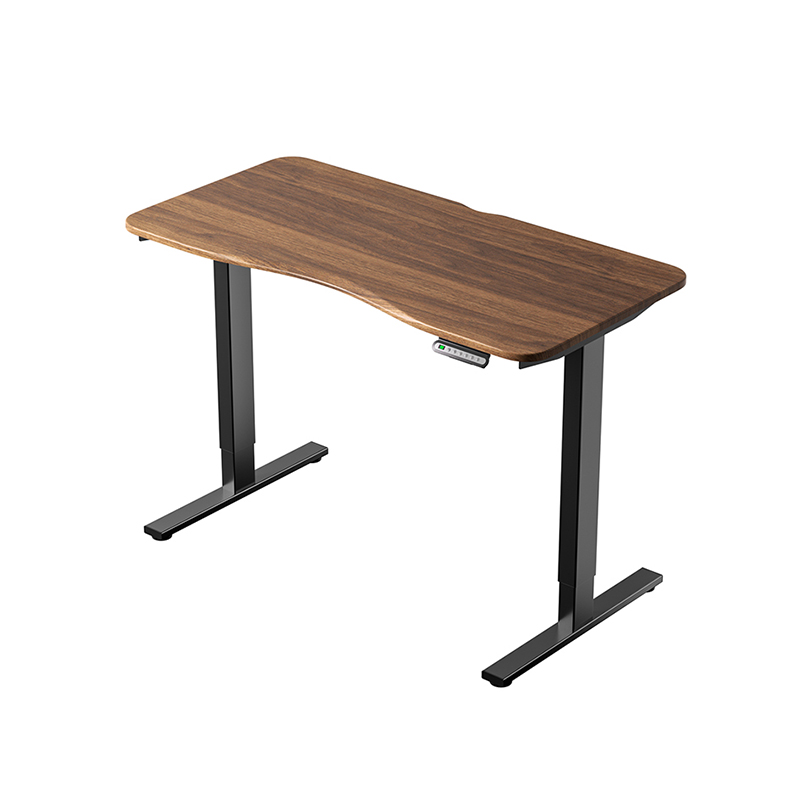
A double motor electric lifting table places an independent motor in each leg column, eliminating the shared mechanical shaft required in single motor designs. Each motor controls its own column independently — with the two motors synchronized electronically to maintain level desk height during travel. This configuration delivers meaningfully higher load capacity, faster lift speed, and better stability under load compared to single motor equivalents.
Load Capacity: Where Dual Motor Desks Justify Their Cost
Dual motor electric lifting tables are typically rated for maximum loads of 120–160 kg, with premium commercial models reaching 200 kg. This capacity range opens up several use cases that single motor desks cannot reliably support:
- Multi-monitor professional workstations: Three or four large displays (each 6–12 kg) plus monitor arms, a desktop PC, audio equipment, and professional accessories can easily total 60–90 kg — requiring dual motor capacity for safe and stable operation
- Wide desktop formats: Desks wider than 160 cm develop significant flex and instability in single motor configurations because the mechanical span between the motor-driven point and the far column end is too great. Dual motors, one per column, eliminate this span problem entirely
- Shared or hot-desk office environments: Where multiple users of different heights adjust the desk repeatedly throughout the day, the higher duty cycle of dual motor systems provides better long-term reliability
- L-shaped or corner desk configurations: Corner standing desks typically use three leg columns and require dual (or triple) motor systems to maintain synchronized height across all three support points
Speed and Stability Advantages
Dual motor desks lift at speeds of 38–51 mm per second — approximately 30–50% faster than comparable single motor models under the same load. More practically, they maintain their rated speed under load far better than single motor desks, which slow noticeably as loads approach their maximum capacity. Surface stability at standing height is also measurably better: independent tests of desk sway (measured as lateral movement at desktop level during simulated working activity) consistently show dual motor desks exhibit 30–50% less wobble than single motor desks at equivalent heights and loads.
Advanced Control Features Common in Dual Motor Models
- USB-A and USB-C charging ports integrated into the control panel or crossbeam
- Sit/stand reminder functions with programmable intervals and audible or visual alerts
- Child lock to prevent accidental height adjustment in shared spaces
- App connectivity via Bluetooth in premium models, enabling height tracking and posture analytics
- Wider height range: Many dual motor three-stage column desks achieve a range from 58 cm to 128 cm, accommodating users from 155 cm to 200 cm+ in height in both sitting and standing positions
Typical Price Range
Dual motor frame-only units typically start at $350–$500 from established manufacturers. Complete desks with quality desktop surfaces range from $550–$1,200 for standard residential models, rising to $1,200–$2,500+ for commercial-grade or wide-format configurations from brands such as Uplift, Autonomous, Flexispot Pro, and Knoll.
Gaming Glass Electric Lifting Table: Designed for the Modern Gaming Setup
Gaming glass electric lifting tables are a specialized category within electric standing desks, combining a tempered glass desktop surface with an electric lifting frame specifically designed for gaming aesthetics and multi-screen setups. They are not simply standing desks with glass tops — they typically integrate RGB lighting systems, cable management channels, monitor mount positions, and control panels designed around the needs and visual language of high-end gaming environments.
Why Tempered Glass for Gaming Desks
Tempered glass desktops in the gaming context offer several specific advantages over laminate, wood, or MDF surfaces:
- RGB underlighting compatibility: A clear or frosted glass surface allows LED strips mounted to the frame below to illuminate the desk surface from beneath, creating ambient lighting effects popular in gaming room aesthetics. Solid surfaces cannot achieve this effect.
- Surface durability for peripherals: Gaming mice require consistent, low-friction surfaces. Glass provides a uniformly smooth surface across the entire desktop — unlike laminate, which can develop uneven wear patterns in areas of heavy mouse use. Most gaming glass desks use 8–10 mm tempered glass, which is significantly more scratch-resistant than laminate surfaces.
- Visual premium: The reflective depth of glass gives gaming setups a distinctive visual character that laminate and wood cannot replicate — particularly in low-light gaming environments where desk surface illumination is part of the room's ambiance.
- Easy cleaning: Gaming sessions generate keyboard debris, drink spillage, and dust accumulation. Glass surfaces clean completely with a single wipe — no risk of moisture damage to the surface or swelling at edges that wood and MDF face.
Structural Considerations for Glass Desktops
The weight of the glass surface itself is the primary structural consideration for gaming glass electric lifting tables. A standard 140 × 70 cm tempered glass panel at 8 mm thickness weighs approximately 16–18 kg — significantly heavier than an equivalent laminate or MDF surface (typically 8–12 kg). Adding gaming peripherals, multiple monitors, and a PC tower can bring total loads to 50–80 kg on a fully equipped gaming glass desk, which places most gaming glass desks in dual motor territory. Most dedicated gaming glass electric lifting tables are therefore built on dual motor frames, though some compact single-monitor configurations use single motor frames with glass under 1.2 m wide.
The frame-to-glass connection is also critical. Quality gaming glass desks use silicone mounting pads or cushioned clamps at all contact points between the metal frame and glass surface — avoiding hard metal-to-glass contact that creates stress concentration points and increases the risk of thermal or impact cracking. Always verify that a gaming glass desk's frame mounts to the glass via cushioned contact, not direct metal screws or clamps.
Gaming-Specific Features to Look For
- Integrated RGB LED system: Addressable RGB strips beneath the glass surface, controllable via the desk's control panel or synced to PC lighting software (ASUS Aura Sync, MSI Mystic Light, Corsair iCUE compatibility)
- Built-in cable management: Channels, grommets, or under-desk trays integrated into the frame to route power cables, USB hubs, and display cables cleanly — critical for maintaining the visual clarity of a glass-top desk where cable clutter shows through the surface
- Cup holder and headphone hook integration: Many gaming glass desks include purpose-built accessory attachment points on the frame — standard in gaming desk design and more useful than aftermarket clip-on alternatives
- Monitor mount compatibility: Pre-drilled grommet holes or integrated monitor arm mounting points for VESA-compatible arms, avoiding the surface clamp style that leaves marks on glass edges
- Power strip integration: Some gaming glass desk frames include a built-in surge-protected power bar along the crossbeam, reducing floor cable runs and centralizing peripheral power management
Typical Price Range
Gaming glass electric lifting tables occupy the premium tier of the standing desk market. Entry-level models with basic glass tops and single motor frames start at approximately $400–$600. Full-featured dual motor gaming glass desks with RGB underlighting, cable management, and integrated accessories from brands such as Eureka Ergonomic, Cougar, and Flexispot range from $600–$1,200. Custom or ultra-premium gaming glass desks with smart home integration and commercial-grade frames can exceed $1,500.
Direct Comparison: Single Motor vs Double Motor vs Gaming Glass Electric Desks
| Attribute | Single Motor | Double Motor | Gaming Glass |
|---|---|---|---|
| Typical Load Capacity | 60–100 kg | 120–200 kg | 80–160 kg (dual motor base) |
| Lift Speed | 25–38 mm/s | 38–51 mm/s | 35–50 mm/s |
| Desktop Surface | Laminate, bamboo, wood | Any (frame-only or with top) | 8–10 mm tempered glass |
| Stability Under Load | Good (at rated capacity) | Very Good to Excellent | Very Good |
| Noise During Operation | 45–55 dB | 40–50 dB | 40–48 dB |
| RGB / Aesthetic Features | None standard | Optional on some models | Standard (core feature) |
| Ideal Desktop Width | 100–140 cm | 120–200 cm | 120–160 cm |
| Typical Complete Desk Price | $350–$700 | $550–$2,500+ | $400–$1,500+ |
| Best For | Home office, single user | Pro workstation, commercial | Gaming room, streaming setup |
Critical Specifications to Check Before Buying
Across all three electric standing desk types, certain specifications are frequently misrepresented or omitted in marketing materials. Checking these before purchasing protects against disappointed performance expectations.
Height Range vs Your Own Measurements
Desk height range must be matched to your specific sitting and standing requirements. The recommended ergonomic desk height while sitting places elbows at approximately 90–100 degrees with shoulders relaxed — for most adults, this is between 68–76 cm. Standing height should allow the same elbow angle while standing — typically 95–115 cm for adults between 165–185 cm tall. Measure your personal requirements before comparing desk height ranges, and ensure at least 5–10 cm of adjustment beyond your target heights in each direction for flexibility.
Duty Cycle: How Often Can the Desk Be Adjusted
Motor duty cycle — expressed as a ratio of operating time to rest time — is rarely advertised but critically important for reliability. A common duty cycle specification is 2 minutes on, 18 minutes off (10% duty cycle) for consumer-grade motors. This means the motor should not be operated for more than 2 continuous minutes in any 20-minute period. For typical office use (adjusting height 3–6 times per day with each adjustment taking 10–15 seconds), this is never an issue. For desks in shared commercial environments adjusted dozens of times per day, motors with higher duty cycle ratings — 20–30% duty cycle — are necessary to prevent premature motor failure from overheating.
Frame Warranty and After-Sales Support
The motor and electronic components are the most likely failure points in any electric standing desk over a 5–10 year ownership period. Frame warranties among reputable manufacturers range from 5 years to lifetime (Uplift, Fully, IKEA), with motor and electronics warranties typically 3–5 years. Budget brands offering 1-year warranties on motors reflect the lower component quality and higher failure risk in those products. For a piece of furniture used daily for years, warranty terms are a meaningful proxy for manufacturer confidence in their own product reliability.
Setup and Ergonomic Configuration for Maximum Health Benefit
Owning an electric height adjustable standing desk only delivers its full health benefit if it's configured and used correctly. A standing desk used exclusively at one height provides no more benefit than a fixed desk — the value is in the movement and posture variation.
- Set sitting and standing presets accurately: Use your personal ergonomic measurements (not generic guides) to program your sitting and standing height presets. Test both positions with your actual monitor, keyboard, and mouse in place before locking in the values.
- Follow the 20-8-2 rule as a starting point: For every 30 minutes at a workstation, spend approximately 20 minutes sitting, 8 minutes standing, and 2 minutes moving. Adjust this ratio based on personal comfort — standing for too long without appropriate footwear or an anti-fatigue mat creates its own discomfort.
- Use an anti-fatigue mat when standing: Standing on hard floors in thin-soled shoes generates significant lower limb fatigue within 30–60 minutes. A quality anti-fatigue mat with cushioned surface reduces this substantially and encourages longer standing periods. Standard mat dimensions are 50 × 80 cm, adequate for single-user standing positions.
- Position monitors correctly at standing height: Monitor top should be at or slightly below eye level in both sitting and standing positions. If using a fixed monitor arm, verify that its adjustment range covers both your sitting and standing eye heights — the difference is typically 35–45 cm for most adults.
- Enable the sit/stand reminder if available: The biggest obstacle to standing desk benefit is forgetting to adjust. Using the desk's built-in reminder function — or a phone-based reminder app — removes the mental friction of remembering to change positions.
W2200D1535H23000000.png "Boardroom Pod")

 Add: Building18, No. 331, Haidong Road, Lihai Street, Yuecheng District, Shaoxing City, Zhejian, China
 Tel: +86-18057599511 / +86-0575-89291658
 Fax: +86-0575-89291658
 Email: