 Get A Quote


 English
 中文简体
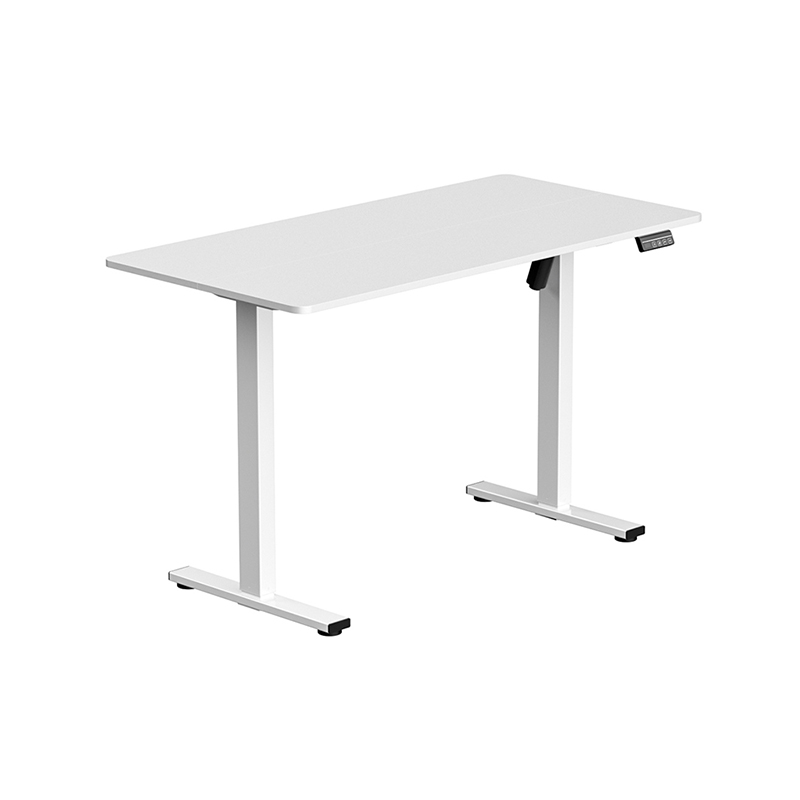
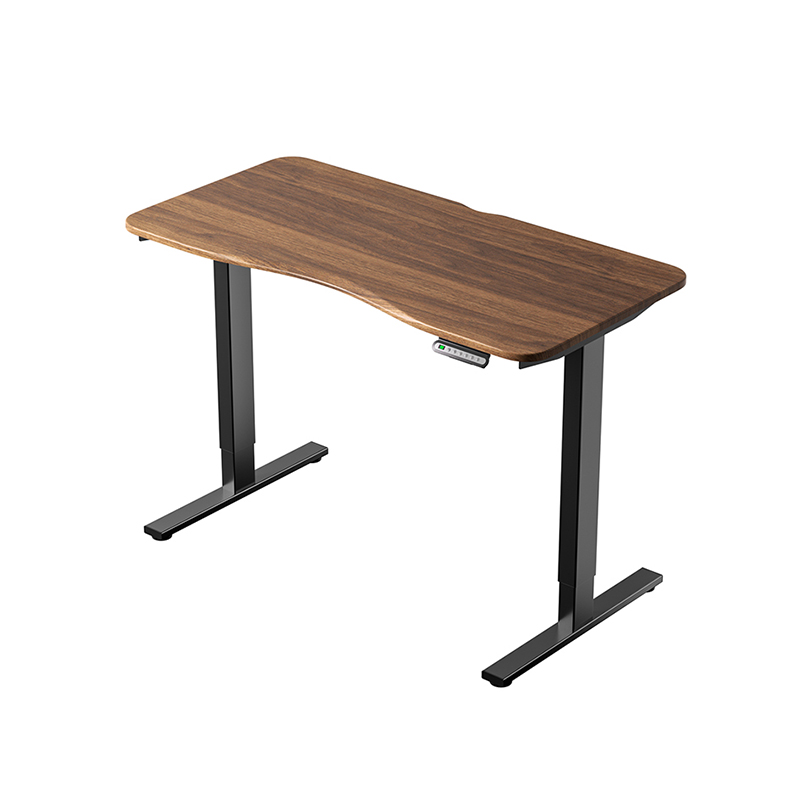
中文简体The modern corporate landscape has experienced a massive transition toward active workspaces as professionals spend more time than ever before behind computer screens. This sedentary lifestyle has prompted a widespread search for ergonomic solutions that can mitigate the negative physical effects of prolonged sitting. Among the various office furniture upgrades available today, the standing desk has emerged as one of the most prominent options. Specifically, Electric Height Adjustable Standing Desks have captured the attention of corporate health managers and remote professionals alike. These motorized workstations allow users to transition between sitting and standing positions with the press of a button, promising a more dynamic and healthy workday.
Despite the widespread popularity of these desks, their initial purchase price can be a significant investment, causing many individuals to wonder if the long term health and productivity benefits truly justify the financial outlay. Deciding whether an adjustable desk is worth the expense requires an examination of the physiological science behind active working, the mechanical engineering that governs motorized lifting frames, and the practical challenges of integrating these workstations into a home or corporate office. By analyzing these factors, buyers can make an informed decision that supports their physical well-being and matches their daily workflow requirements.
The Ergonomic Science Behind Height Adjustable Workspaces
To evaluate the true value of an active workstation, one must first look at how the human body reacts to different working postures. For decades, occupational health researchers have studied the relationship between desk design and physical strain, revealing that a static posture of any kind can lead to chronic discomfort.
Biomechanics of Sitting Versus Standing
When a person remains seated in a traditional office chair for several hours, the physical load on the lumbar spine increases substantially. In a seated position, the natural inward curve of the lower back often flattens, which forces the spinal discs to compress unevenly. This compression can lead to localized muscle tension, lower back stiffness, and a higher risk of long term disc issues. Additionally, sitting for long periods keeps the hip flexor muscles in a constantly shortened state, which can pull the pelvis out of alignment and cause secondary pain in the knees and upper torso.
Transitioning to a standing posture redistributes the physical load across the larger muscle groups of the lower body. When standing with proper posture, the spine naturally maintains its neutral curvature, which reduces the direct pressure on the lumbar discs. The core muscles, glutes, and leg muscles engage to support the weight of the body, preventing the spinal column from collapsing into a slouch. This muscular engagement encourages subtle, continuous shifting of weight, which keeps the joints lubricated and prevents the static muscle fatigue that is so common during long sitting sessions.
Cardiovascular and Metabolic Impacts of Sedentary Behavior
The physical strain of sitting is not limited to the musculoskeletal system, as prolonged inactivity also has a profound impact on the cardiovascular and metabolic processes of the body. When the large muscles of the lower body are completely inactive for hours, the rate of blood flow through the veins slows down, which can lead to fluid accumulation in the lower legs and ankles. This sluggish circulation also reduces the efficiency of the body in clearing fats and sugars from the bloodstream, as the production of lipase, an enzyme that is critical for breaking down fats, drops significantly during periods of physical inactivity.
Standing increases the metabolic rate of the body compared to sitting, as the effort required to maintain an upright posture burns more calories over the course of a standard workday. More importantly, the act of standing and shifting weight activates the calf muscle pump, which actively pushes deoxygenated blood back up to the heart and improves overall circulation. This increased blood flow delivers more oxygen and vital nutrients to the brain, which many professionals report leads to a noticeable boost in mental clarity, focus, and energy levels during the afternoon hours when sitting fatigue typically sets in.
Analyzing the Core Engineering of Electric Height Adjustable Standing Desks
While manual standing desks and desktop converters exist, motorized systems represent the pinnacle of convenience and performance in this product category. Understanding the mechanical components and structural engineering of these desks is essential for selecting a durable and reliable model.
Motor Configurations and Lifting Capacities
The lifting system of a motorized standing desk is powered by either a single motor or dual motors integrated into the leg columns. Single motor configurations utilize a drive shaft that connects both legs, transferring the rotational force of a single motor across the width of the desk. While these systems are more affordable, they often have lower weight limits, move at slower speeds, and can experience uneven lifting if the weight on the desk surface is not distributed perfectly.
In contrast, high quality Electric Height Adjustable Standing Desks utilize a dual motor system, where a dedicated motor is housed in each leg column. These motors are synchronized by an electronic control box that ensures both sides of the desk rise at the exact same speed and height. Dual motor desks offer superior lifting capacity, often supporting over three hundred pounds of office equipment, while operating with minimal noise. The transition is remarkably smooth, preventing computer monitors and desktop items from shaking or tipping over during adjustment.
Stability Control and Leg Column Designs
A major engineering challenge for standing desks is maintaining stability when the frame is extended to its maximum height. As the desk rises, the center of gravity shifts upward, making the structure more susceptible to swaying or wobbling when the user typing or leaning on the edge. To combat this instability, manufacturers design the leg columns using heavy gauge steel with multi stage telescoping segments.
Leg columns are typically classified as either two stage or three stage columns. Two stage columns consist of two overlapping steel segments, which offer a moderate range of height adjustment that is suitable for average height users. Three stage columns feature three nesting segments, which provide a significantly wider height range and a faster adjustment speed. The extra overlapping material in a three stage design also provides superior lateral stability at higher extensions, ensuring that the desk remains solid and secure even when fully raised.
+-------------------------------------------------------------+
|                     DESK FRAME ASSEMBLY                     |
+-------------------------------------------------------------+
|                                                             |
|   +-----------------------------------------------------+   |
|   |                  Desktop Surface                    |   |
|   +-----------------------------------------------------+   |
|                              |                              |
|           +-------------------------------------+           |
|           |        Electronic Control Box       |           |
|           +-------------------------------------+           |
|                   /                     \                   |
|                  /                       \                  |
|   +-------------------+             +-------------------+   |
|   |  Motorized Leg    |             |  Motorized Leg    |   |
|   |  Column Stage One |             |  Column Stage One |   |
|   +-------------------+             +-------------------+   |
|   |  Stage Two        |             |  Stage Two        |   |
|   +-------------------+             +-------------------+   |
|   |  Stage Three      |             |  Stage Three      |   |
|   +-------------------+             +-------------------+   |
|            |                                 |              |
|   +-------------------+             +-------------------+   |
|   |     Feet Base     |             |     Feet Base     |   |
|   +-------------------+             +-------------------+   |
|                                                             |
+-------------------------------------------------------------+
Safety Features and Anti Collision Technology
Because motorized standing desks are powerful mechanical devices, safety is a critical design consideration, especially in home offices with children or pets. Modern electric desks are equipped with advanced anti collision sensors that monitor the electrical current of the motors during movement. If the desktop encounters an obstacle, such as a filing cabinet beneath the desk or an open window sill above it, the sudden resistance causes a spike in the motor current.
The control box instantly detects this current spike, halts the movement of the desk, and reverses the direction of the travel by a few inches to clear the obstruction. This safety mechanism prevents costly damage to your office equipment, protects the physical structure of the desk, and ensures that pets or fingers are not pinched during operation. Some premium models also feature adjustable sensitivity levels for their anti collision systems, allowing users to customize the safety thresholds based on their specific environment.
Practical Benefits of Electric vs Manual Standing Desks
When shopping for an active workstation, buyers must decide if they should pay a premium for an electric model or opt for a simpler manual crank desk. While both styles allow the user to stand, the differences in daily usability are substantial.
Ease of Transition and Memory Preset Convenience
The primary drawback of manual standing desks is the physical effort required to adjust the height. To raise a manual desk, the user must turn a physical hand crank dozens of times, which can be tiring and time consuming, especially if the desk is loaded with heavy computer monitors and accessories. This physical barrier often discourages users from transitioning frequently, defeating the primary purpose of owning an active workstation.
Electric models remove this friction entirely, allowing users to adjust the height effortlessly. The inclusion of programmable memory presets is a major advantage of electric systems. Most digital controllers allow users to save their exact preferred sitting and standing heights. With a single tap of a button, the desk moves automatically to the correct position, ensuring that the user can maintain proper ergonomic alignment every single time without the need for manual estimation or continuous adjustments.
Wear Resistance and Long Term Structural Reliability
The mechanical reliability of a standing desk depends heavily on the quality of its internal drive components. Manual crank desks utilize a system of gears, rods, and tension belts to lift the desktop. Over time, the repeated physical force of turning the crank under a heavy load can cause these gears to wear down, slip, or strip entirely, leading to uneven lifting or complete mechanical failure.
Electric desks utilize sealed linear actuators that are designed to distribute mechanical wear evenly across the entire lifting mechanism. These actuators are lubricated for life and sealed inside the steel leg columns, protecting them from dust, debris, and environmental moisture. High quality electric frames undergo rigorous cycle testing, simulating decades of daily transitions to ensure that the motors and control electronics continue to perform consistently under load. This long term durability makes electric frames a much more reliable investment for professionals who intend to use their standing desks daily.
Comparative Evaluation of Ergonomic Workspace Solutions
Selecting the ideal standing desk configuration depends on your specific workspace layout, your budget constraints, and your performance expectations. The table below compares the primary types of active workstations available on the market today.
|
Workstation Type |
Lifting Speed and Ease |
Stability at High Extension |
Maximum Weight Capacity |
Initial Investment Level |
Best Suited For |
|---|---|---|---|---|---|
|
Manual Crank Desk |
Slow and requires physical rotation of hand crank |
Moderate to poor depending on frame weight |
Low to moderate due to manual gear limitations |
Budget conscious buyers who do not mind manual adjustment |
Small home offices and secondary work surfaces |
|
Single Motor Electric |
Moderate speed with quiet push button operation |
Moderate, can experience minor sway |
Moderate, typically up to two hundred pounds |
Entry level motorized setup with basic controls |
Standard single monitor setups and light daily usage |
|
Dual Motor Electric |
Fast, smooth, and fully automated movement |
Excellent due to synchronized leg motors |
High, often exceeding three hundred pounds |
Premium investment with long term durability |
Professional workspaces and heavy multi monitor configurations |
|
Desktop Converter |
Fast but requires manual lifting assistance |
Poor, raises the screen but remains on static desk |
Very low, limited to keyboard and monitors |
Low to moderate with no frame installation required |
Users who want to keep their existing non adjustable desk |
Crucial Factors to Evaluate Before Purchasing
To ensure that your investment in a standing desk delivers the maximum return in terms of health and productivity, you must carefully evaluate several practical factors before finalizing your purchase. A desk that does not fit your body or your workspace will quickly become a source of frustration.
Finding the Proper Height Range for Diverse Body Types
The most critical factor in choosing a standing desk is verifying that the height range of the frame accommodates your physical dimensions in both sitting and standing positions. To determine your ideal seated desk height, sit comfortably in your office chair with your feet flat on the floor and your knees bent at a ninety degree angle. Relax your shoulders and hold your elbows at a ninety degree angle; the distance from the floor to the underside of your forearms is your target seated desk height.
Repeat this measurement while standing in your normal working footwear to find your target standing desk height. For households where multiple individuals will share the same desk, a three stage frame with a wide adjustment range is highly recommended. These frames typically adjust from twenty-five inches to over fifty inches, ensuring that both very short and very tall users can work in perfect ergonomic comfort without straining their neck, shoulders, or wrists.
Workspace Integration and Cable Management Challenges
Integrating an adjustable standing desk into your workspace requires careful planning, particularly when it comes to organizing the power cords and signal cables connected to your computer equipment. Unlike a static desk where cables remain in a fixed position, an adjustable desk requires the cables to move and stretch as the desktop rises and falls. If the cables are too short or are bound too tightly, they can pull out of the computer ports, damage the connectors, or even pull lightweight items off the desk surface as it moves upward.
To manage this movement successfully, you must install a comprehensive cable management system beneath the desktop. A sturdy metal tray or fabric mesh hammock mounted under the desk frame can hold your power strips, power bricks, and excess cable slack, ensuring that only a single main power cord needs to travel from the moving desktop to the wall outlet. This single main cord should be routed through a flexible, spine like cable organizer that can bend and straighten smoothly as the desk transitions, protecting the wiring from being pinched or stretched during operation.
Desktop Material Quality and Weight Distribution
The choice of desktop material impacts not only the visual appeal of your office but also the structural integrity and longevity of your standing desk. Common desktop materials include medium density fiberboard, laminated particle board, bamboo, and solid natural wood. While laminated particle board is highly affordable, it is susceptible to sagging over time if loaded with heavy dual monitor mounts or desktop computer towers.
For heavy equipment setups, solid wood, premium bamboo, or high density fiberboard are much more suitable options. These materials possess high structural stiffness and can resist bending under localized loads. Additionally, when assembling your workstation, you must pay attention to weight distribution. Placing all of your heavy equipment on one side of the desk can put uneven stress on the motorized legs, leading to increased wear on one motor and potential alignment issues over time. Distributing the weight as evenly as possible across the frame ensure smooth, balanced transitions and extends the operational lifespan of the lifting motors.
Maximizing the Value of Your Active Workstation Investment
Simply purchasing an adjustable standing desk is not enough to guarantee improved health, as the benefits of the desk depend entirely on how you incorporate it into your daily work routine. Using the desk incorrectly can sometimes lead to new physical discomforts if proper ergonomics are neglected.
Implementing the Optimal Sit Stand Ratio
A common mistake made by new owners of standing desks is attempting to stand for the entire duration of their workday. Standing for eight hours continuously can cause physical issues that are just as severe as those caused by prolonged sitting, including lower limb blood pooling, varicose veins, joint fatigue, and lower back strain. The body is designed for dynamic movement rather than static postures of any kind.
Ergonomic specialists recommend following a balanced transition cycle, such as the twenty, eight, and two rule. This guideline suggests that for every thirty minutes of work, you should spend twenty minutes sitting, eight minutes standing, and two minutes moving or stretching. If this transition frequency feels too disruptive to your concentration, a more manageable approach is to alternate between sitting and standing every forty-five to sixty minutes. This dynamic movement keeps your circulation active, engages different muscle groups throughout the day, and prevents the development of localized muscle fatigue.
Essential Ergonomic Accessories to Enhance Comfort
To get the most value out of your standing desk, you should consider pairing the workstation with a few essential ergonomic accessories. The most important accessory for any standing desk user is a high quality anti fatigue mat. Standing on a hard wood or tiled floor for extended periods can cause pain in the heels, arches, and lower back. An anti fatigue mat utilizes a thick, cushioned foam or polyurethane core that forces the muscles in your feet to make micro contractions continuously, which active the venous pump and reduces fatigue in your lower limbs by up to fifty percent.
Additionally, using an adjustable monitor arm is highly beneficial for maintaining proper neck alignment. When you transition from a sitting to a standing posture, your relative eye line to the monitor can shift slightly. An adjustable monitor mount allows you to position the top of the screen at exact eye level and tilt it slightly upward, preventing you from tilting your head forward and straining your neck muscles during long working sessions. By combining a high quality electric frame with proper standing habits and supportive ergonomic accessories, you can transform your workspace into a healthy, comfortable, and highly productive environment that supports your professional success for years to come.
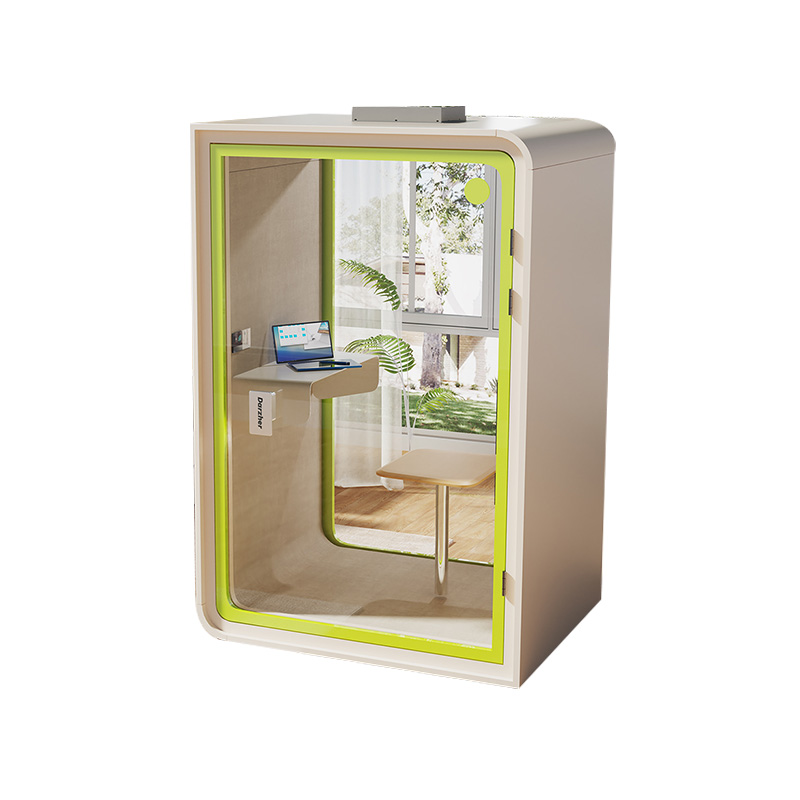
W2200D1535H23000000.png "Boardroom Pod")

 Add: Building18, No. 331, Haidong Road, Lihai Street, Yuecheng District, Shaoxing City, Zhejian, China
 Tel: +86-18057599511 / +86-0575-89291658
 Fax: +86-0575-89291658
 Email: