 Get A Quote



 English
 中文简体
A facilities manager signs off on sixty electric height adjustable desks for a new floor. Eighteen months later, a dozen of them sit stuck at seated height, three control boxes have been swapped out, and the maintenance team keeps a handwritten note about which handset belongs to which desk. Nobody specified how the desks would reset after a power dip, how the controllers would behave on a shared circuit, or who would hold spare parts in year three. The desks were bought as furniture. They are actually small electromechanical machines, and they reward being specified like machines.
That is the short version: an electric height adjustable desk is only as good as the weakest of four systems, namely the frame, the drive, the controller and the desktop. Price tends to track the second and third of those, while the first and fourth decide whether the desk still feels solid in year five. The notes below cover how to read those four systems, how single-motor and dual-motor designs actually differ, how to choose a desktop material, and what to audit before committing to a container load.
The Four Numbers That Decide Whether a Desk Works
Almost every specification sheet opens with the same four figures: height range, load capacity, travel speed and noise. Buyers skim them because they look like marketing. In practice they are the four numbers that determine whether a desk gets used, whether it survives, and whether the people sitting at it complain. Everything else, from memory presets to cable trays, is secondary.
Height range is a body measurement, not a headline
Start with the people, not the product. A comfortable seated working height for most adults falls somewhere between 65 cm and 75 cm, depending on stature and chair. A comfortable standing keyboard height is roughly 0.6 to 0.65 times a person's height, which puts a 170 cm user near 103 to 110 cm and a 185 cm user nearer 112 to 120 cm. A desk whose upper limit is 110 cm will be fine for the first person and cramped for the second, and the shortfall shows up as shrugged shoulders and a monitor propped on a box.
The lower limit matters just as much, and it is where budget frames quietly fail. A desk that stops at 72 cm cannot serve a 160 cm user in a normal chair without a footrest. When you see a range quoted as something like 71 to 117 cm, check whether that is the frame range or the finished range including the desktop thickness; a 25 mm top eats into the top of the range, and a height-adjustable foot or castor set eats into the bottom. Two-stage frames typically deliver around 70 to 120 cm, three-stage frames extend both ends, often reaching down near 60 cm and up past 125 cm. If a team spans a wide spread of heights, three-stage columns are usually the cheaper solution than buying two different desk models.
Load ratings need headroom, not optimism
A rated load is normally a static, evenly distributed figure tested under controlled conditions. Real desks carry an uneven load: a monitor arm clamped to one corner, a printer on the other side, a person leaning on the front edge while talking on the phone. The lateral force from leaning is often more punishing than the vertical weight, because it works on the column overlap and the foot welds rather than on the actuator alone.
A sensible rule is to keep expected daily load at roughly 60 to 70 percent of the rated capacity. If a workstation will hold two 27-inch monitors on arms, a docking station, a laptop and a desk phone, plan for 25 to 35 kg of equipment and choose a frame rated well above that, not just above it. On dual-motor frames the rating is usually quoted for the pair; on single-motor frames the same number is carried by one actuator, which is why the frame feels different at the top of its travel.
Speed and noise trade against each other
Travel speed across this category generally sits between 20 mm/s and 40 mm/s. Faster is convenient, but speed is bought with gearing, motor size and noise. A frame that races upward at 38 mm/s and sounds like a blender will be raised less often than a slower, quieter one, and how often a desk moves is the only metric that matters for the health benefit. In open offices, aim for something under about 50 dB(A) measured at one metre; above 55 dB(A) people start timing their adjustments to avoid being noticed.
Two related specifications rarely appear on a brochure but should be requested. The first is duty cycle, usually expressed as a ratio such as two minutes on and eighteen minutes off. The second is the anti-collision behaviour: whether the controller stops on current spikes, and whether it retracts a few centimetres afterwards. Both are firmware decisions as much as hardware ones, and both are worth testing on a sample rather than accepting on trust.
- Height range: confirm finished range with the actual desktop thickness.
- Load: ask for dynamic and static ratings separately.
- Speed: 25 to 35 mm/s is a comfortable middle ground.
- Noise: request a measured dB(A) figure at one metre, not a description.
- Duty cycle and anti-collision: ask for the controller's behaviour in writing.
Single Motor or Dual Motor: The First Real Fork in the Road
If you only make one decision carefully, make it this one. A single-motor desk drives both legs through a mechanical linkage, usually a torsion rod or a synchronized shaft running under the desktop. A dual-motor desk puts an actuator in each leg and synchronizes them electronically through the control box. The difference is not marketing. It changes how the desk behaves under an off-centre load, how it recovers from a fault, and how much repair costs when something fails in year four.
The practical consequence is simple. Dual-motor frames handle heavier, wider and more unevenly loaded desktops with less flex, and they synchronize faster after a power interruption. Single-motor frames are lighter, cheaper, mechanically simpler and, for a home office with one monitor and a laptop, perfectly adequate. Buying dual-motor hardware for a light single-user desk is over-specification; buying single-motor hardware for a 180 cm wide shared bench with monitor arms is a false economy that shows up as a visible twist at standing height.
| Consideration | Single motor | Dual motor |
|---|---|---|
| Drive layout | One actuator plus a mechanical linkage between legs | One actuator per leg, synchronized by the control box |
| Typical load band | Roughly 50 to 80 kg | Roughly 80 to 125 kg |
| Travel speed | Usually 20 to 30 mm/s | Usually 30 to 40 mm/s |
| Behaviour under off-centre load | More visible twist on wide tops | Noticeably stiffer, especially above 160 cm wide |
| Fault recovery | Linkage can bind if one side drifts | Controller re-synchronizes legs after a stall |
| Cost position | Lower unit cost, lower spare-part cost | Higher unit cost, simpler diagnostics |
| Best fit | Home office, light equipment, budget-driven projects | Shared desks, heavy arms, wide tops, frequent adjustment |
Our own
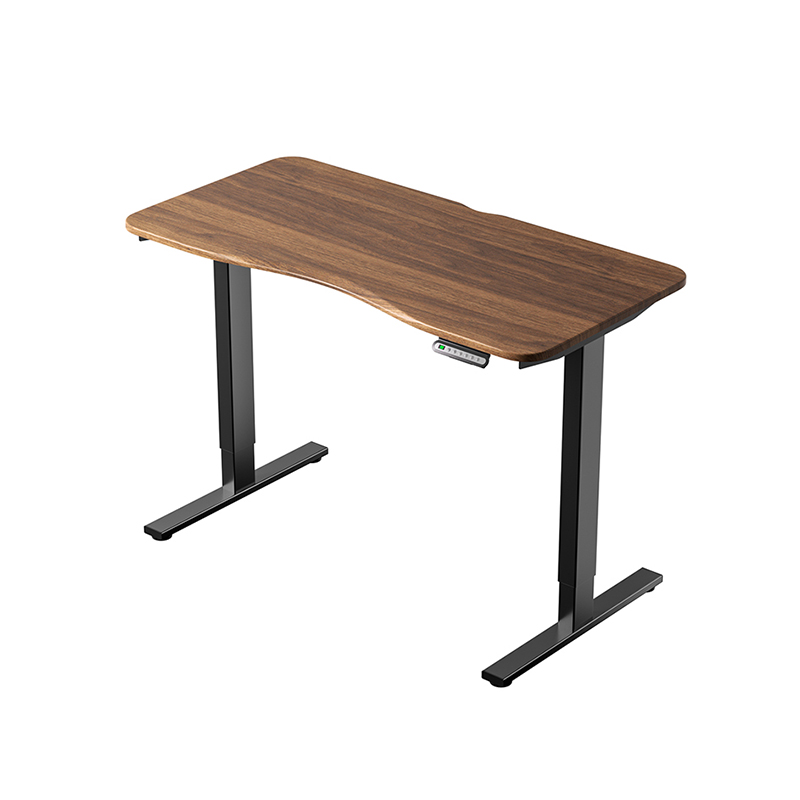 Dual-Motor Electric Lifting Table for Multi-Monitor OfficesExplore the dual-motor option behind the price-gap discussion, with faster, smoother adjustment for heavier multi-monitor setups.View Product →
If you want the longer argument for the price gap, it is set out in this note on why dual-motor designs justify the extra spend, including the failure modes that make the difference visible after two or three years of daily use.
Where a Single-Motor Desk Still Makes Sense
Single-motor designs get dismissed too quickly. The linkage arrangement is mature, the parts count is low, and there is one actuator to replace instead of two. For a home office where the desk moves twice a day, on a desktop no wider than about 140 cm carrying a laptop, a monitor and a lamp, a well-built single-motor frame will outlast the laptop sitting on it.
The conditions under which it works are specific, and worth writing down before ordering. Keep the top narrow. Keep the load centred. Avoid heavy monitor arms clamped at the extreme ends, because that is exactly the loading case the linkage handles least gracefully. Choose a frame with a proper steel crossbeam rather than a thin pressed brace, and check that the desktop you pair it with is stiff enough that the whole assembly does not act like a drum.
Our
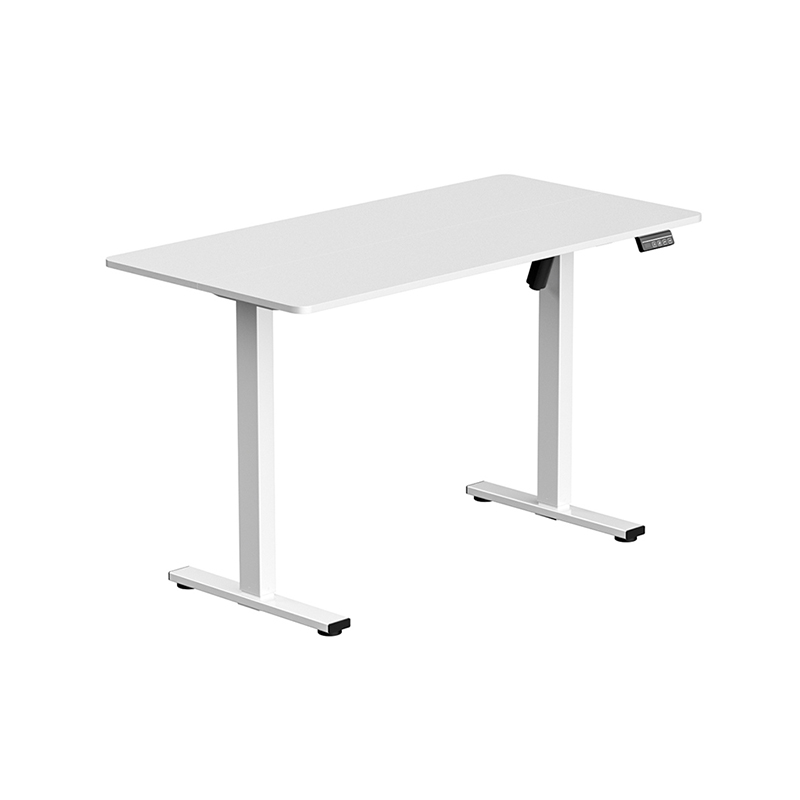 Single-Motor Electric Lifting Table with Memory SettingsA budget-friendly sit-stand desk with hidden motor and memory presets, suited to simple repairs and lower-cost office or home setups.View Product →
There is a service argument too. In a small office or a school, a single actuator and a single control box mean fewer part numbers to stock and a technician who can swap a component in fifteen minutes with a hex key. In a building with sixty desks and no dedicated maintenance staff, that simplicity has a real value that does not appear on the quotation. The trade-off is honest: you accept a lower ceiling on load and width in exchange for lower cost and simpler repair.
Frame Architecture and the Wobble Question
Wobble is the complaint that ends sit-stand programmes. It is also the easiest thing to test and the hardest thing to hide, which is why it is worth understanding where it comes from. Three variables dominate: the number of telescoping stages, the amount of column overlap at standing height, and the geometry of the feet and crossbeam.
Two-stage versus three-stage columns
A two-stage column has an outer tube and one inner tube. A three-stage column adds a middle tube, which increases the collapsed-to-extended ratio and therefore the usable height range. The engineering consequence is that at any given height, a three-stage column typically has more overlap between its tubes than a two-stage column pushed near its limit, and overlap is what resists rocking. This is why a good three-stage frame at 115 cm often feels firmer than a cheap two-stage frame at the same height, even though both are made of steel.
Steel gauge, foot length and bracing
Ask for the wall thickness of the column tube, not just the outer dimension. Frames built from 1.5 mm to 2 mm steel behave very differently from frames built from 1.2 mm steel with the same silhouette. Foot length matters as a lever arm: longer feet resist front-to-back rocking, which is the direction a person leaning on the desk actually pushes. A crossbeam that ties the two legs together near the top of the frame adds torsional stiffness, and it is usually the first thing removed when a supplier cuts cost on a budget model.
A practical incoming inspection test takes a minute. Raise the desk to standing height, put a normal load on it, and press firmly on the front edge with one hand while watching the top surface against a fixed reference such as a door frame. A few millimetres of movement is normal. A visible rocking motion, or a top that visibly twists when you press one corner, tells you the assembly will creak within a year. Repeat the test at the lowest and highest positions, because the worst case is almost always at full extension.
Desktop Material, Thickness and Edge Detail
The desktop is where most of the perceived quality lives, and where most of the cost savings hide. Two desks can use identical frames and feel completely different because one has a 25 mm high-pressure laminate top on a dense chipboard core and the other has an 18 mm melamine-faced board with a hollow honeycomb interior.
What the core does
Solid particleboard or MDF cores take screws properly and resist point loads from monitor clamps. Honeycomb and tubular cores are light, which helps shipping and reduces the load on the actuators, but they need internal reinforcement plates wherever a clamp, grommet or arm will be mounted. If a spec sheet does not mention reinforcement, ask where the mounting points are and whether the supplier adds steel plates at those positions. This one question prevents most of the cracked-desktop claims that arrive six months after installation.
Surfaces, edges and humidity
High-pressure laminate resists scratching and cleaning chemicals better than melamine and is worth the difference in shared or commercial settings. Edge banding should be at least 2 mm and properly bonded; thin 0.5 mm tape lifts at the corners within a heating season. In humid climates, or in buildings without reliable climate control, sealed edges and a moisture-resistant core matter more than the surface finish, because swelling starts at an unsealed cut.
Thickness is a balance. An 18 mm top on a 160 cm span will sag slightly under a heavy monitor arm over time; 25 mm is the safer default for anything wider than about 150 cm. Weight also feeds back into the motor decision: a heavy top plus heavy equipment is a dual-motor case almost by definition.
- Ask for the core material and density, not just the surface name.
- Confirm reinforcement plates at every clamp and grommet position.
- Specify 2 mm edge banding as a minimum for commercial use.
- Check that cut edges and cable holes are sealed.
- Match top thickness to span width, not to the price list.
Gaming Setups Ask Different Questions
A gaming desk is not an office desk with a different colour. Three requirements change. The surface has to work with the mouse, the frame has to tolerate a monitor mounted close and low, and the whole assembly is often pushed against a wall in a room where the same person sits for six hours at a time. Glass tops solve the first problem and create two others: weight distribution and reflections.
Tempered glass with a fine etched surface gives consistent tracking without a mouse mat, and it resists the wear that cloth pads show within months. The trade-offs are that glass is heavy, it is unforgiving of point loads at the edges, and it needs a frame that stays parallel through the whole travel range, because a twist that a laminate top absorbs will show as a stress line in glass. Cable routing also matters more, since a glass top shows every wire underneath.
Our
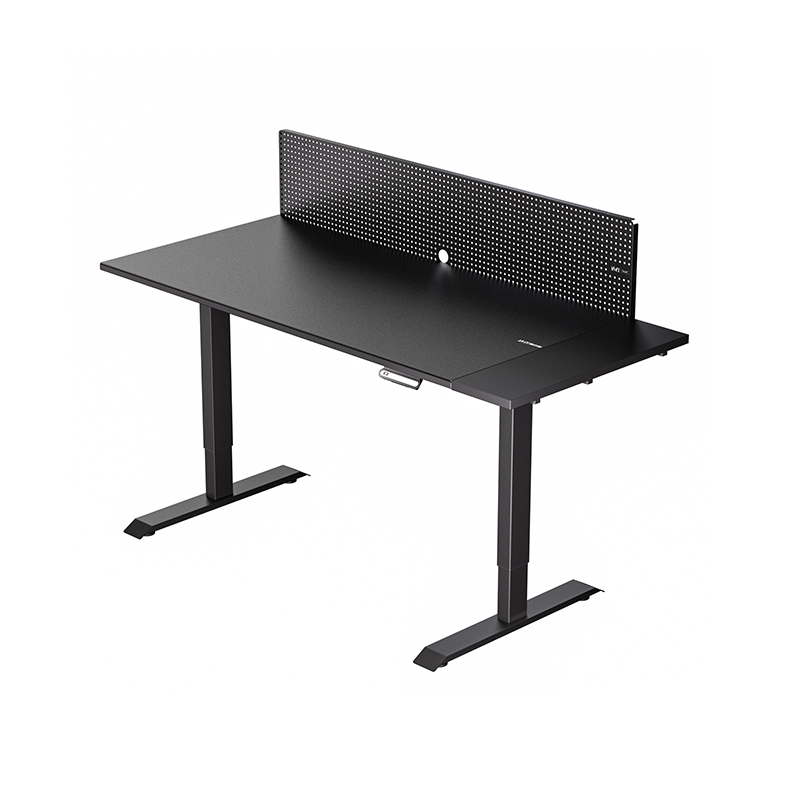 Gaming Glass Electric Lifting Table for Sit-Stand SetupsAn electric sit-stand gaming desk with etched anti-reflective glass and remote control, worth checking for stable height adjustment and modern gaming spaces.View Product →
For a gaming build, check three things before anything else: that the frame is rated for the glass top's weight plus equipment, that the top has a documented tempering process rather than a claim, and that the height range suits a seated posture with the monitor at eye level. Gamers rarely stand, but they do adjust, and a range that tops out at 110 cm is fine for sitting and useless for the standing breaks that justify the mechanism in the first place.
Matching the Desk to Actual Bodies and Actual Rooms
Ergonomics gets abstracted into slogans. The concrete version is a short list of measurements. Seated, the elbows should rest near 90 degrees with the shoulders relaxed, which usually puts the keyboard somewhere between 65 cm and 72 cm off the floor for an average adult. Standing, the same relationship holds, and the desk needs to reach elbow height in flat shoes or in the shoes the person actually wears.
Monitor height follows the desk, not the other way around. The top third of the screen should sit near eye level, which means a monitor arm or a stand that can rise as the desk rises. A desk that goes to 120 cm while the monitor stays at 105 cm simply converts a standing posture into a slouching one. Budget for arms at the same time as the desks; retrofitting them later usually costs more because the desktop may need reinforcement.
The sit-stand rhythm nobody follows
Manufacturers like to quote ratios such as 60 minutes sitting to 15 minutes standing. Real behaviour is messier. The habit that survives is the one tied to a trigger: standing during calls, standing for the first hour after lunch, standing while reading rather than typing. Design the space for that. Keep the standing-height keyboard and mouse position clear, use a mat if the floor is hard, and set two memory presets that correspond to real postures rather than to the desk's extremes.
Room layout constrains the choice more than buyers expect. A desk that rises to 125 cm needs clearance behind it for a person to stand and step back, and it must not collide with a window sill, a radiator or an overhead shelf. A three-stage frame that reaches 125 cm in a room with a 90 cm sill is a waste of money. Measure the wall before ordering the frame.
Electronics, Controls and the Parts That Fail First
Most warranty claims on height adjustable desks are electrical, not mechanical. The actuators are usually robust; the control box, the handset cable and the connectors are where trouble starts. Understanding that distribution changes what you specify and what you keep in stock.
Control box and handset
The control box contains the power supply, the motor drivers and the firmware that keeps the legs synchronized. On a dual-motor desk, a box that loses synchronization after a power cut will leave the desk tilted and refusing to move until it is reset, which is exactly the scenario that generates a service call. Ask how the controller re-synchronizes, whether it does so automatically at the next full down-travel, and how a user resets it without tools. If the answer requires a technician, the desk is not suitable for a multi-floor office.
Handsets fail at the cable entry point more often than anywhere else. A coiled cable that hangs under the desk gets caught by knees and chair arms. A fixed cable with a proper strain relief is duller and better. Memory presets are worth having, but only if they survive a power interruption; some controllers lose stored positions on a hard power cut, which makes the feature decorative.
Power, standby and safety
Standby consumption is small per desk and meaningful across a floor. Ask for the standby figure in watts, and check whether the controller has a genuine low-power sleep mode rather than a dimmed display. Anti-collision deserves its own test: place a box under the descending desk and confirm the controller stops and reverses rather than pushing through. Test it at both ends of the travel range, because sensitivity is usually calibrated at one point.
Duty cycle is the specification most often ignored and most often exceeded. Desks in a hot-desking area can be adjusted twenty times an hour in the morning. If the actuators are rated for two minutes of run time in twenty, that pattern will trigger thermal cutouts, which users report as "the desk stopped working" and maintenance records as an intermittent fault that cannot be reproduced.
What Bulk Buyers Should Audit Before Signing
Buying one desk is a product decision. Buying two hundred is a supply-chain decision, and the questions change. The frame is no longer the main risk; consistency between units, spare-part availability, packaging survival and documentation become the things that decide whether the project closes cleanly.
Manufacturing depth and process control
Ask who actually makes the metal parts. A supplier that performs its own sheet metal forming, welding, powder coating and assembly controls tolerance at every step and can trace a defect to a station. A trading company that assembles from purchased kits cannot. Zhejiang Darzher Smart Home, the company behind this site, runs an 8,100 square metre facility with more than 100 production machines and in-house sheet metal, woodworking, powder coating, painting and assembly lines, which is the configuration that lets a buyer request a specific column gauge or foot length rather than choosing from a catalogue.
Process control is the second question. A quality inspection room with its own test equipment, plus written inspection standards at each station, is the difference between a sample that passes and a production run that passes. Ask to see the inspection standard for the welding station and the final assembly station. Ask what happens to a unit that fails. Vague answers here predict vague units later.
Customization and engineering support
Most projects need something non-standard: a specific desktop size, a particular powder coat colour, a cutout for a cable tray, or a frame height that matches an existing benching system. A supplier with an engineering team that can work from drawings or physical samples will quote those changes in days. A supplier that only sells stock models will either refuse or improvise, and improvisation in metal fabrication shows up as misaligned holes.
Our team of more than twenty technical staff works from customer drawings and samples, which matters most at the prototype stage: a single unit built to your drawing tells you more about tolerance and finish than a hundred catalogue photos.
Logistics and documentation
Freight is a design decision. Flat-packed cartons with proper foam blocking survive container handling; cartons that rely on the desktop to protect itself do not. Request carton dimensions and weights per unit, calculate container fill yourself, and check whether the packaging is rated for a stacking height that matches your warehouse.
Port access is the other half. A factory within a short drive of a major port reduces inland transit risk and cut-off pressure. This site sits about 1.5 hours from Ningbo Port and 2.5 hours from Shanghai Port, which gives flexibility when a vessel rolls or a booking slips. Export experience across North America, Europe and Southeast Asia also means the documentation set, from commercial invoice to packing list to certificate of origin, is routine rather than improvised.
- Request the dynamic and static load rating in writing, per model.
- Ask for column wall thickness and foot dimensions, not just overall width.
- Confirm the inspection standard at each production station and the rework policy.
- Get carton dimensions, gross weight and stacking limits for freight planning.
- Ask which spare parts are recommended for a three-year stock, with part numbers.
- Request a pre-production sample built to your drawing before the full run.
Cost, Lead Time and the Total Picture
Unit price is the least useful number in a bulk quotation. The cost of a height adjustable desk is concentrated in four places: the actuators and control box, the steel in the frame, the desktop, and the packaging and freight. Understanding that split lets you negotiate on the right line and spot a quote that is cheap for a reason.
Actuators and controllers are usually the largest single element, which is why motor count drives price so directly. Steel is the second, and it is where invisible savings happen: a frame that looks identical in a photo can use thinner tube, shorter feet and a lighter crossbeam. The desktop is the third, and it is the easiest place to substitute a honeycomb core for a solid one without changing the appearance of a sample. Packaging is small per unit and enormous in aggregate, because a carton that fails in transit turns a 3 percent saving into a total loss.
Lead time has its own structure. Standard models ship from stock or short production runs; customized frames need tooling time plus a sample approval cycle, which typically adds weeks rather than days. Plan backwards from the installation date: freight transit, customs clearance, inland delivery and a buffer for a rolled vessel. Buyers who order custom frames four weeks before a fit-out are not buying custom frames, they are buying stress.
Total ownership includes the parts you will need. Ask for a recommended spares kit per hundred desks: a couple of control boxes, a handset, an actuator, a set of feet and a bag of fasteners. The cost is trivial against the first service call, and it converts a two-week part shipment into a fifteen-minute repair.
A Practical Buying Sequence
The sequence below works for a single home desk and for a two-hundred-unit office rollout. It front-loads the decisions that are expensive to reverse and leaves the cosmetic choices for last.
- Measure the users and the room. Record the tallest and shortest expected user, the required standing keyboard height, the wall clearance and any sill or shelf obstruction.
- Set the finished height range, including desktop thickness and any castors or glides, and choose two-stage or three-stage columns accordingly.
- Decide motor count from load and width, not from price. Wide tops, monitor arms and shared use push toward dual motor.
- Select the desktop core and thickness for the span, and specify reinforcement at every clamp position.
- Specify the controller behaviour you need: memory retention after power loss, automatic re-synchronization, anti-collision, low standby draw.
- Request samples and test them physically: wobble at full extension, noise at one metre, anti-collision at both ends, duty cycle behaviour.
- Confirm inspection standards, spare-part list, carton dimensions and port of loading before the purchase order is issued.
- Install one desk, use it for a week, and only then release the balance of the order.
That last step is the one most projects skip and most projects regret. A week of real use reveals the things a showroom cannot: whether the handset cable catches on a chair, whether the preset heights suit the actual people, whether the desk sounds loud on a hard floor at 8 a.m.
Electric height adjustable desks are simple products with a small number of consequential decisions inside them. Get the height range right for the people who will sit there, size the drive for the load and the width, choose a frame that stays stiff at full extension, and pick a desktop core that will hold a monitor clamp for a decade. Those four choices account for most of the difference between a desk that is used daily and one that is quietly left at seated height.
For buyers working at scale, the same logic applies with more rigour: audit the factory rather than the brochure, test the sample rather than the specification, and stock the parts that fail. If you want to go deeper into the category, the full guide to electric height adjustable standing desks covers the ergonomic background and the market context in more detail. The rest is measurement, and measurement is cheap.


 Add: Building18, No. 331, Haidong Road, Lihai Street, Yuecheng District, Shaoxing City, Zhejian, China
 Tel: +86-18057599511 / +86-0575-89291658
 Fax: +86-0575-89291658
 Email:
